Cartovum Bulk Product Manager
By Shakil Ahmed
Bulk-edit WooCommerce stock status and product attributes in small batches, with a change log and put-back.
0+ active installations
- Version
- 1.3.9
- WordPress
- 6.0+
- PHP
- 7.4+
- Updated
- 24 Sep 2026
WORDPRESS RESOURCES
Explore public plugin information from the official WordPress.org directory. Compare what a plugin does, its requirements and update history before adding it to your website.
Explore WordPress hosting →844 matching plugins reported by WordPress.org · Page 43 of 50
Source: WordPress.org
Data refreshed 25 Nov 2026 14:22 UTC
By Shakil Ahmed
Bulk-edit WooCommerce stock status and product attributes in small batches, with a change log and put-back.

By sitetrail
Use Google Workspace Studio to prepare WordPress content and WooCommerce product workflows with a free site bridge and paid Studio connectors.
Build guided WooCommerce product configuration flows with reusable templates, option groups, and a live configuration recap.
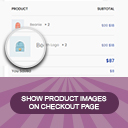
Display Product Images on Checkout Page.

By richteam
Slider Image plugin is fully responsive. Your photos with our slider effects will be perfectly. Slider modes Slider Navigation, Content Slider, Fashio …

By Themekraft
Let your WooCommerce Vendors Manage there Products from the Frontend
Build any WooCommerce store with Elementor — 35+ widgets, variation swatches, wishlist, sticky cart, quick view & more.

By Eduard Doloc
Official WooCommerce integration for DATA Reshape: first-party ecommerce event tracking, delivered from your own subdomain.

By HasThemes
Product Screenshot is a gallery for product screenshots.

By jayanta77
Generate realistic dummy posts, pages, users, custom post types, and WooCommerce products for development, testing, and demos.

By Mahesh Thorat
Load pages without a full reload: AJAX navigation with loaders, page transitions, SEO metadata sync, accessibility and safe fallbacks.

By FlowDino
Sync your WooCommerce catalog with FlowDino and automatically publish your products to multiple marketplaces: Vinted, Leboncoin, eBay, Etsy, Vestiaire …
CHOOSE WHAT YOUR WEBSITE NEEDS
Start with the task you need to solve. Compare features, WordPress and PHP requirements, update history and the author’s documentation. Test changes on a private copy and avoid adding several plugins for the same job.
This independent directory displays plugin information on WebFulHost and links to the official source. Packages are not mirrored or installed here. A plugin can include paid extensions or services with separate terms from its author.