

Visual CSS Style Editor
By YellowPencil
Style your WordPress site visually. Discover the most popular front-end design plugin! Try live demo.
★ 4.1/5 (90)30,000+ active installations
- Version
- 7.6.8
- WordPress
- 4.0+
- Updated
- 19 Nov 2026
WORDPRESS RESOURCES
Explore public plugin information from the official WordPress.org directory. Compare what a plugin does, its requirements and update history before adding it to your website.
Explore WordPress hosting →6,144 matching plugins reported by WordPress.org · Page 44 of 50
Source: WordPress.org
Data refreshed 23 Nov 2026 01:40 UTC
By YellowPencil
Style your WordPress site visually. Discover the most popular front-end design plugin! Try live demo.

By Blobfolio
A simple, light-weight collection of tools to harden WordPress security and help mitigate common types of attacks.
By Ozh
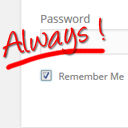
Always checked 'Remember Me' checkbox and longer auth cookie expiration. Your blog will remember you.
WordPress multi-level security scanner detecting malware, 0-day threats, brute-force attacks, bot attacks, and unauthorized admin changes.

High-converting popup campaigns with PopupKit – advanced triggers, A/B testing, spin-to-win, multistep popups & 270+ popup templates for WordPress

By Paul
Manage all your WordPress sites in one place - updates, uptime, backups & security.

By Teydea Studio
Easily enforce password reset for WordPress users. Choose to force password changes site-wide, by user and/or by role, to boost your site's security.
68 free Divi modules + 8 extensions — the largest free Divi library, all native in the Divi 5 Visual Builder and Divi 4. Nothing to migrate.

By Amin Nazemi
A simple and lightweight plugin to disable XML-RPC API, X-Pingback and pingback-ping in WordPress 3.5+ for a faster and more secure website

A lightweight WordPress plugin for YouTube, YouTube Shorts, Vimeo, HTML5 video and audio, playlists, and brand-matched colors.
MainWP Child establishes a secure link between your WordPress sites and your self-hosted MainWP Dashboard, simplifying site management.

By Passionate Brains
Connect Google Analytics to WordPress in a few clicks. Track key WooCommerce & WordPress events with a GA4 dashboard built into wp-admin.
CHOOSE WHAT YOUR WEBSITE NEEDS
Start with the task you need to solve. Compare features, WordPress and PHP requirements, update history and the author’s documentation. Test changes on a private copy and avoid adding several plugins for the same job.
This independent directory displays plugin information on WebFulHost and links to the official source. Packages are not mirrored or installed here. A plugin can include paid extensions or services with separate terms from its author.


