FREE WordPress Security: firewall, two factor authentication (2FA), security headers, login, malware and password protection, scanner, activity log
★ 5.0/5 (26)4,000+ active installations
- Version
- 3.0.14
- WordPress
- 6.2+
- PHP
- 7.4+
- Updated
- 18 Nov 2026
View plugin details ↗The official way to use Font Awesome Free or Pro icons on your WordPress site, brought to you by the Font Awesome team.
★ 3.6/5 (61)400,000+ active installations
- Version
- 5.2.1
- WordPress
- 5.8+
- PHP
- 7.4+
- Updated
- 13 Aug 2026
View plugin details ↗Disable All WordPress Updates and Theme Editors is a handy tool that allows you to not only disable all types of WordPress updates but also allows you …
★ 4.0/5 (4)20+ active installations
- Version
- 2.0.3
- WordPress
- 6.0+
- PHP
- 7.2+
- Updated
- 9 Oct 2026
View plugin details ↗Drag and drop page builder that gives the freedom to design WordPress websites, landing pages, custom themes, maintenance mode & coming soon pages.
★ 4.6/5 (220)30,000+ active installations
- Version
- 45.16.4
- WordPress
- 5.5+
- PHP
- 7.4+
- Updated
- 7 Oct 2026
View plugin details ↗Create and add rich content to your website for free. Some examples of what you get with H5P are Interactive Video, Quizzes, Collage and Timeline.
★ 4.7/5 (62)40,000+ active installations
- Version
- 1.17.10
- WordPress
- 3.8.1+
- Updated
- 20 Oct 2026
View plugin details ↗Sort posts and custom post type objects using a drag-and-drop, sortable JavaScript AJAX interface, or through the default WordPress dashboard
★ 4.5/5 (296)600,000+ active installations
- Version
- 2.5.9
- WordPress
- 2.8+
- PHP
- 5.6+
- Updated
- 21 Oct 2026
View plugin details ↗Create custom "Shortcodes" easily for HTML, JavaScript, CSS code snippets and use the shortcodes within posts, pages & widgets
★ 4.9/5 (227)100,000+ active installations
- Version
- 6.6
- WordPress
- 4.9.0+
- PHP
- 5.3+
- Updated
- 14 Sep 2026
View plugin details ↗Include Me helps to include any external file (textual, HTML or PHP) in posts or pages.
★ 4.8/5 (21)4,000+ active installations
- Version
- 1.3.7
- WordPress
- 6.1+
- PHP
- 7.0+
- Updated
- 5 Feb 2026
View plugin details ↗Build custom frontend user dashboards with login, registration, user profiles, frontend post editing, and role-based permissions.
★ 4.9/5 (137)500+ active installations
- Version
- 3.6.0
- WordPress
- 6.1+
- PHP
- 8.0+
- Updated
- 21 Nov 2026
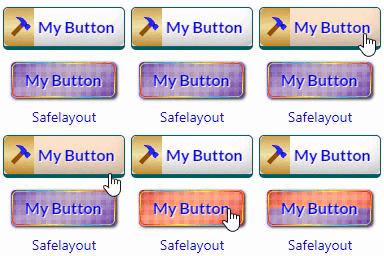
View plugin details ↗Beautiful CSS buttons in Gutenberg, Elementor & Classic Editor. Call to Action buttons with inline SVGs, click animations, after-click loading.
★ 5.0/5 (3)100+ active installations
- Version
- 1.3.1
- WordPress
- 6.5+
- PHP
- 7.0+
- Updated
- 13 Nov 2026
View plugin details ↗A modern SVG icon library for WordPress with support for custom uploads and 200,000+ Iconify icons across block editor, page builders, and themes.
★ 5.0/5 (2)200+ active installations
- Version
- 1.0.24
- WordPress
- 6.0+
- PHP
- 8.1+
- Updated
- 30 Sep 2026
View plugin details ↗A simple way to change a post's type in WordPress
★ 4.8/5 (255)200,000+ active installations
- Version
- 4.1.1
- WordPress
- 6.6+
- PHP
- 8.0+
- Updated
- 15 Oct 2026
View plugin details ↗