Block specific CSS and JS files from loading on pages where they are not needed. Improve page speed by preventing unnecessary assets from loading.
0+ active installations
- Version
- 1.0.0
- WordPress
- 5.0+
- PHP
- 7.4+
- Updated
- 19 May 2026
View plugin details ↗WordPress security in one place: login protection, file integrity, hardening, server audit and an activity log.
★ 5.0/5 (1)0+ active installations
- Version
- 1.0.1
- WordPress
- 5.8+
- PHP
- 7.4+
- Updated
- 24 Oct 2026
View plugin details ↗Accept Credit Cards, Google Pay, ApplePay, Afterpay, Affirm, ACH, Klarna, iDEAL and more all in one plugin for free!
★ 4.8/5 (303)100,000+ active installations
- Version
- 4.0.21
- WordPress
- 4.7+
- PHP
- 7.4+
- Updated
- 19 Nov 2026
View plugin details ↗Audit SQL dumps for broken PHP serialized values before import. Reports findings only, never changes data.
0+ active installations
- Version
- 1.0.0
- WordPress
- 6.0+
- PHP
- 8.1+
- Updated
- 28 Sep 2026
View plugin details ↗Handle hard, soft, and policy bounce messages for MailPoet when you use your own host or another SMTP provider.
10+ active installations
- Version
- 1.0.7
- WordPress
- 7.0+
- PHP
- 7.4+
- Updated
- 28 Sep 2026
View plugin details ↗Find plugin conflicts with a step-by-step conflict finder, plus error logs, Safe Mode, performance and security checks.
0+ active installations
- Version
- 2.3.2
- WordPress
- 6.0+
- PHP
- 7.4+
- Updated
- 14 Nov 2026
View plugin details ↗Automatically update your WordPress site's logo for holidays, seasons, or promotions—no manual work needed!
0+ active installations
- Version
- 1.0.1
- WordPress
- 5.0+
- PHP
- 7.2+
- Updated
- 12 Aug 2026
View plugin details ↗This plugin ensures customers can only buy products from one shipping class at a time.
0+ active installations
- Version
- 1.0.4
- WordPress
- 6.5+
- PHP
- 7.4+
- Updated
- 14 Oct 2026
View plugin details ↗Find and fix WPML data issues — orphaned translations, misplaced originals, and swapped original flags.
0+ active installations
- Version
- 1.1.0
- WordPress
- 5.9+
- PHP
- 7.4+
- Updated
- 6 Jul 2026
View plugin details ↗Record, replay and analyze every visitor session. See exactly what users click, scroll and do on your WordPress site — no coding required.
10+ active installations
- Version
- 1.0.10
- WordPress
- 6.2+
- PHP
- 7.4+
- Updated
- 19 Oct 2026
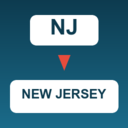
View plugin details ↗Expand 2-letter US state codes (e.g. NJ) to full state names (e.g. New Jersey) in Gravity Forms Address merge tags.
0+ active installations
- Version
- 1.0.2
- WordPress
- 5.8+
- PHP
- 7.4+
- Updated
- 20 May 2026
View plugin details ↗The WP Hardening is a one-click tool to fix standard security recommendations on your WordPress website.
★ 4.0/5 (20)10,000+ active installations
- Version
- 1.2.8
- WordPress
- 4.3+
- PHP
- 5.3+
- Updated
- 13 Sep 2024
View plugin details ↗