56 free Elementor widgets, 400 ready made templates, a mega menu, a form builder and a header and footer builder. Each widget loads only where used.
★ 5.0/5 (2)100+ active installations
- Version
- 2.0.6
- WordPress
- 6.5+
- PHP
- 7.4+
- Updated
- 21 Nov 2026
View plugin details ↗Allows you to insert a list of the Wordpress plugins you are using into any post/page.
★ 5.0/5 (12)700+ active installations
- Version
- 2.7
- WordPress
- 4.6+
- PHP
- 7.4+
- Updated
- 20 Aug 2026
View plugin details ↗WordPress's most reliable, easy to use and feature-rich video player. Supports playlists, ads, stats and user video position saving.
★ 4.0/5 (2)1,000+ active installations
- Version
- 8.2.1
- WordPress
- 5.7+
- PHP
- 5.6+
- Updated
- 12 Nov 2026
View plugin details ↗Cumple con la normativa desde un único plugin: cookies, políticas legales, términos, gestión del consentimiento y más. Todo automatizado.
★ 4.6/5 (10)700+ active installations
- Version
- 1.5.4
- WordPress
- 4.0+
- PHP
- 5.2.4+
- Updated
- 6 Oct 2026
View plugin details ↗Create accessible FAQ sections with manual, bulk, and optional WordPress AI-assisted entry plus FAQPage structured data.
0+ active installations
- Version
- 3.0.0
- WordPress
- 6.2+
- PHP
- 7.4+
- Updated
- 1 Oct 2026
View plugin details ↗Add a repeatable FAQ section to any blog post or page and output a clean, accessible accordion with FAQPage schema for rich results. No code required.
0+ active installations
- Version
- 1.3.6
- WordPress
- 5.6+
- PHP
- 7.2+
- Updated
- 9 Jul 2026
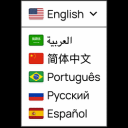
View plugin details ↗Translate your WordPress site with a polished Google Translate language switcher for instant visitor translation.
★ 4.4/5 (11)3,000+ active installations
- Version
- 2.3.0
- WordPress
- 6.5+
- PHP
- 7.4+
- Updated
- 7 Oct 2026
View plugin details ↗Build a searchable WordPress knowledge base, documentation hub, help center, or FAQ with responsive layouts, live search, and analytics.
★ 5.0/5 (1)10+ active installations
- Version
- 2.0.5
- WordPress
- 6.4+
- PHP
- 7.4+
- Updated
- 25 Aug 2026
View plugin details ↗Show your hikes, rides and runs from GPX, FIT, TCX or KML files on an interactive map with elevation profile, charts and route summary.
★ 4.2/5 (61)4,000+ active installations
- Version
- 1.15.00
- WordPress
- 6.0+
- PHP
- 7.4+
- Updated
- 20 Nov 2026
View plugin details ↗The Accordion block you create interactive, customizable collapsible content for FAQs, product features or structured layouts within WordPress.
10+ active installations
- Version
- 1.0.2
- WordPress
- 6.1+
- PHP
- 7.4+
- Updated
- 21 May 2026
View plugin details ↗
By Renderbit Technologies
Manage FAQ items as a custom post type and output FAQPage JSON-LD on the posts and pages they apply to.
0+ active installations
- Version
- 4.0.1
- WordPress
- 6.5+
- PHP
- 7.2+
- Updated
- 30 Oct 2026
View plugin details ↗Social sharing plugin adding social buttons.
★ 4.9/5 (1,911)10,000+ active installations
- Version
- 3.7.6
- WordPress
- 3.0+
- Updated
- 10 Oct 2026
View plugin details ↗