Build responsive image galleries, animated hero sections and content carousels with a real drag-and-drop visual builder.
★ 5.0/5 (1)0+ active installations
- Version
- 2.12.3
- WordPress
- 6.0+
- PHP
- 7.4+
- Updated
- 27 Sep 2026
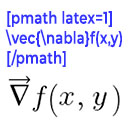
View plugin details ↗Render mathematical equations in WordPress as PNG images using pmath native syntax or LaTeX input with server-side rendering.
★ 4.2/5 (5)300+ active installations
- Version
- 3.0.5
- WordPress
- 5.0+
- PHP
- 7.2+
- Updated
- 9 May 2026
View plugin details ↗Free, lightweight ad manager: place AdSense or any ad code in posts, widgets, header & footer. No upsells. Your settings are always backed up.
★ 3.9/5 (74)20,000+ active installations
- Version
- 2.10.0
- WordPress
- 6.7+
- PHP
- 7.4+
- Updated
- 2 Nov 2026
View plugin details ↗Add responsive Yandex Maps to WordPress with a Gutenberg block, custom markers, clustering and live preview.
★ 4.5/5 (2)300+ active installations
- Version
- 2.0.1
- WordPress
- 6.6+
- PHP
- 7.4+
- Updated
- 29 Oct 2026
View plugin details ↗YITH WooCommerce Color and Label Variations replaces the dropdown select of your variable products with Colors and Labels
★ 3.6/5 (22)8,000+ active installations
- Version
- 2.33.0
- WordPress
- 6.9+
- PHP
- 8.0+
- Updated
- 3 Nov 2026
View plugin details ↗Manage all your WordPress sites in one place - updates, uptime, backups & security.
★ 4.8/5 (63)900+ active installations
- Version
- 5.7.2
- WordPress
- 5.5+
- PHP
- 7.4+
- Updated
- 27 Oct 2026
View plugin details ↗
By WordPress Performance Team
Optimizes the performance of embeds through lazy-loading, adding dns-prefetch links, and reserving space to reduce layout shifts.
★ 3.0/5 (2)40,000+ active installations
- Version
- 1.0.0-beta6
- WordPress
- 6.9+
- PHP
- 7.4+
- Updated
- 26 Aug 2026
View plugin details ↗Advanced WooCommerce product search and filter plugin. Customizable search bar, live search suggestions and auto-generated filters for search results.
★ 4.4/5 (43)900+ active installations
- Version
- 1.0.23
- WordPress
- 4.7+
- PHP
- 5.6+
- Updated
- 22 Oct 2026
View plugin details ↗AI tool to create SEO titles, outlines, drafts and images with a guided workflow, keyword research, and social media automation.
★ 5.0/5 (1)20+ active installations
- Version
- 2.0.0
- WordPress
- 5.8+
- PHP
- 7.4+
- Updated
- 2 Jul 2026
View plugin details ↗Testimonials are easy to use the plugin that allows users to add Testimonials to the sidebar, as a widget, or to embed testimonials into a Page or Pos …
★ 4.7/5 (26)2,000+ active installations
- Version
- 5.0.2
- WordPress
- 4.0+
- Updated
- 30 Aug 2026
View plugin details ↗A powerful and flexible WordPress event calendar plugin that lets you display your events in multiple calendar views, just like Google Calendar.
★ 4.3/5 (46)900+ active installations
- Version
- 1.4.45
- WordPress
- 3.0.5+
- Updated
- 16 Nov 2026
View plugin details ↗Create interactive floating bubble menus to enhance site navigation and boost user engagement effortlessly.
★ 4.2/5 (9)1,000+ active installations
- Version
- 4.1.1
- WordPress
- 5.5+
- PHP
- 7.4+
- Updated
- 25 Aug 2026
View plugin details ↗