Easily import any file of any size into any plugin, post type, custom field, or taxonomy. Supports WooCommerce, ACF, images, galleries, users, real es …
★ 4.7/5 (1,966)100,000+ active installations
- Version
- 4.2.0
- WordPress
- 5.0+
- PHP
- 7.4+
- Updated
- 10 Nov 2026
View plugin details ↗
By OneSignal Push Notifications
Increase engagement and drive more repeat traffic to your WordPress site with push notifications. Now a WordPress VIP Gold Partner.
★ 4.3/5 (360)60,000+ active installations
- Version
- 3.9.4
- WordPress
- 6.0+
- PHP
- 7.4+
- Updated
- 29 Sep 2026
View plugin details ↗Create unlimited notifications, announcements, or notices for your visitors
★ 4.8/5 (10)3,000+ active installations
- Version
- 2.2.9
- WordPress
- 5.0+
- PHP
- 5.6+
- Updated
- 15 Oct 2026
View plugin details ↗WP Sticky Sidebar plugin will make your menu or header stick to the side of page, after desired number of pixels when scrolled 📌
★ 4.9/5 (153)10,000+ active installations
- Version
- 1.4.1
- WordPress
- 4.7+
- Updated
- 13 Aug 2026
View plugin details ↗Number one WordPress forum plugin with AI features. Full-fledged forum solution with modern forum design. Community builder WordPress forum plugin.
★ 4.7/5 (391)20,000+ active installations
- Version
- 3.2.5
- WordPress
- 5.2+
- PHP
- 7.1+
- Updated
- 14 Nov 2026
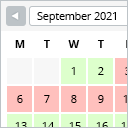
View plugin details ↗This booking calendar shows when something is booked or available. Use it to show when your holiday home is available for rent, for example.
★ 4.8/5 (227)10,000+ active installations
- Version
- 2.0.16
- WordPress
- 4.7+
- PHP
- 5.6+
- Updated
- 29 Jun 2026
View plugin details ↗Sets an expiration date for posts, auto moving them to draft after the set period.
★ 5.0/5 (1)1,000+ active installations
- Version
- 1.2
- WordPress
- 5.8+
- PHP
- 5.2.4+
- Updated
- 20 Jun 2025
View plugin details ↗Collect and show your favorite Quotes / Reviews / Testimonials or any other short snippet of Text.
★ 4.7/5 (6)700+ active installations
- Version
- 1.3.7
- WordPress
- 6.8+
- PHP
- 7.4+
- Updated
- 16 Aug 2026
View plugin details ↗Extends the Query Loop Block to allow excluding specific posts.
★ 5.0/5 (1)100+ active installations
- Version
- 1.1.0
- WordPress
- 6.6+
- PHP
- 8.0+
- Updated
- 20 Jan 2025
View plugin details ↗Create a welcome notification bar for your website. Also, My Sticky Bar plugin can make your menu or header sticky to the top when scrolled 📌
★ 4.9/5 (1,200)100,000+ active installations
- Version
- 2.9.5
- WordPress
- 4.7+
- Updated
- 19 Nov 2026
View plugin details ↗Intelligently purges CPT archives, taxonomies, and page-builder hub pages when content changes in Breeze Cache.
★ 5.0/5 (1)50+ active installations
- Version
- 1.0.0
- WordPress
- 6.0+
- PHP
- 7.4+
- Updated
- 16 Jul 2026
View plugin details ↗Use ACF repeater fields inside Elementor loop items and add smart dynamic dropdown taxonomy filters to the Elementor Loop Grid widget.
★ 5.0/5 (9)1,000+ active installations
- Version
- 1.2.2
- WordPress
- 6.5+
- PHP
- 7.4+
- Updated
- 16 Nov 2026
View plugin details ↗