Number one WordPress forum plugin with AI features. Full-fledged forum solution with modern forum design. Community builder WordPress forum plugin.
★ 4.7/5 (391)20,000+ active installations
- Version
- 3.2.5
- WordPress
- 5.2+
- PHP
- 7.1+
- Updated
- 14 Nov 2026
View plugin details ↗Embed PDF, Word, Excel & PowerPoint in WordPress. PDF viewer, 3D flipbook and document library with Gutenberg block & Elementor widget.
★ 4.9/5 (120)9,000+ active installations
- Version
- 2.5.2
- WordPress
- 6.5+
- PHP
- 7.1+
- Updated
- 17 Nov 2026
View plugin details ↗Name directory (glossary) with many options like multiple directories, integrated search, non-latin characters, recaptcha, HTML editor and many more.
★ 4.9/5 (81)2,000+ active installations
- Version
- 1.34.3
- WordPress
- 3.0.1+
- PHP
- 5.3+
- Updated
- 4 Nov 2026
View plugin details ↗AI chatbot for WooCommerce that answers product and policy questions, finds products in plain language, and recommends what to buy.
★ 5.0/5 (4)6,000+ active installations
- Version
- 2.2.0
- WordPress
- 6.0+
- PHP
- 7.4+
- Updated
- 18 Nov 2026
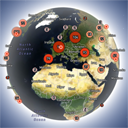
View plugin details ↗Interactive 3D globe that shows your website visitors worldwide in real time and historically, with a fast lightweight Land Cover skin.
★ 5.0/5 (12)60+ active installations
- Version
- 1.5.5
- WordPress
- 5.4+
- PHP
- 7.2+
- Updated
- 20 Nov 2026
View plugin details ↗Build beautiful Elementor tables for comparison, pricing, product, and data with live editing, CSV import, and Google Sheets sync.
★ 5.0/5 (4)400+ active installations
- Version
- 1.4.7
- WordPress
- 6.8+
- PHP
- 7.4+
- Updated
- 23 Sep 2026
View plugin details ↗Web push notifications, WooCommerce automation & multi-channel chat widget. WhatsApp cart recovery, browser alerts — one plugin.
★ 4.3/5 (37)8,000+ active installations
- Version
- 4.3.0
- WordPress
- 5.8+
- PHP
- 7.4+
- Updated
- 5 Nov 2026
View plugin details ↗The best plugin to duplicate post, page, menu and custom post type multiple times in a single click.
★ 4.9/5 (92)10,000+ active installations
- Version
- 3.0.1
- WordPress
- 5.0+
- Updated
- 11 Jan 2025
View plugin details ↗Display Category based Product Listing for WooCommerce in tab format on any page. Woocommerce category list and woocommerce product table.
★ 4.9/5 (28)1,000+ active installations
- Version
- 2.7.5
- WordPress
- 5.2+
- PHP
- 5.6+
- Updated
- 14 Sep 2026
View plugin details ↗Use a Gutenberg Block to manage a download list with file type specific icons. No configuration is necessary.
★ 5.0/5 (7)400+ active installations
- Version
- 5.0.1
- WordPress
- 6.6+
- PHP
- 8.2+
- Updated
- 24 Oct 2026
View plugin details ↗Add a Facebook Messenger chat button to WordPress — floating chat bubble, pre-filled messages, availability hours, and built-in analytics.
★ 5.0/5 (5)1,000+ active installations
- Version
- 2.6.3
- WordPress
- 5.7+
- PHP
- 7.0+
- Updated
- 7 Nov 2026
View plugin details ↗Get more leads and sales with effective popups that convert! Integrate HollerBox with your favorite CRM and email marketing tools.
★ 4.8/5 (32)2,000+ active installations
- Version
- 2.3.15
- WordPress
- 5.0+
- Updated
- 6 Oct 2026
View plugin details ↗