

Scripts To Footer
By Joshua David Nelson
Move your scripts to the footer to help speed up perceived page load times and improve user experience.
★ 4.7/5 (37)7,000+ active installations
- Version
- 0.7.4
- WordPress
- 5.3+
- PHP
- 7.4+
- Updated
- 2 Nov 2026
WORDPRESS RESOURCES
Explore public plugin information from the official WordPress.org directory. Compare what a plugin does, its requirements and update history before adding it to your website.
Explore WordPress hosting →2,377 matching plugins reported by WordPress.org · Page 44 of 50
Source: WordPress.org
Data refreshed 25 Nov 2026 11:51 UTC
By Joshua David Nelson
Move your scripts to the footer to help speed up perceived page load times and improve user experience.

By Andre Gagnon
A modern video and audio player for courses, landing pages, marketing, and testimonials — with captions, branding, and page-builder support.

By JWardee
Stop from ever losing your emails again! This fast, lightweight plugin (under 140kb in size!) is also useful for debugging or backing up your messages

By Torsten Landsiedel
Warns you about outdated template files in your child theme and shows a diff view of the changes between parent and child theme template.

By Konrad Chmielewski
Automatically Redirect any 404 page to a Similar Post based on the Title Post Type & Taxonomy using 301 or 302 Redirects!

By StudioPress
This plugin allows you to transfer your inputs SEO data from one theme/plugin to another.
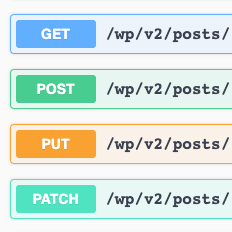
By agussuroyo
WordPress REST API with Swagger UI.
Flexible sidebars for custom classic widget configurations on any page or post. Create custom sidebars with ease!
Boost your WordPress site speed by removing query strings from CSS and JS files — improve your GTmetrix, PageSpeed, and Pingdom scores instantly.

By iworks (Marcin Pietrzak)
The plugin adds price compatibility with the EU Omnibus Directive.

By codepeople
Contact form with visual form builder, database storage, CSV/Excel export, and direct email replies powered by a free AI assistant.

By Kybernetik Services
The time-saving solution for managing tons of featured images within minutes: Set, replace and delete in bulk and set default images for future posts.
CHOOSE WHAT YOUR WEBSITE NEEDS
Start with the task you need to solve. Compare features, WordPress and PHP requirements, update history and the author’s documentation. Test changes on a private copy and avoid adding several plugins for the same job.
This independent directory displays plugin information on WebFulHost and links to the official source. Packages are not mirrored or installed here. A plugin can include paid extensions or services with separate terms from its author.

