Developed exclusively between Payment Plugins and PayPal, PayPal for WooCommerce integrates with PayPal's newest API's.
★ 4.8/5 (127)80,000+ active installations
- Version
- 2.0.30
- WordPress
- 4.7+
- PHP
- 7.4+
- Updated
- 19 Nov 2026
View plugin details ↗Easily import demo data including posts, pages, media, widgets, customizer settings, and Gutenberg Blocks.
★ 4.4/5 (7)80,000+ active installations
- Version
- 2.0.0
- WordPress
- 6.2+
- PHP
- 7.4+
- Updated
- 9 Jun 2026
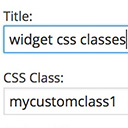
View plugin details ↗Add custom classes and ids plus first, last, even, odd, and numbered classes to your widgets.
★ 4.9/5 (74)80,000+ active installations
- Version
- 1.5.4.1
- WordPress
- 3.3+
- PHP
- 5.2.4+
- Updated
- 12 Nov 2024
View plugin details ↗Use Google Analytics on your WordPress site without touching any code, and view visitor reports right in your WordPress admin dashboard!
★ 3.6/5 (138)80,000+ active installations
- Version
- 3.4.2
- WordPress
- 5.5+
- Updated
- 24 Sep 2026
View plugin details ↗The best WooCommerce checkout manager. Edit, remove or add checkout fields. Customize WooCommerce checkout with this checkout field customizer.
★ 4.7/5 (297)80,000+ active installations
- Version
- 4.1.45
- WordPress
- 6.4+
- PHP
- 7.4+
- Updated
- 7 Nov 2026
View plugin details ↗Securely accept payments, synchronize sales, and seamlessly manage inventory and product data between WooCommerce and Square POS.
★ 2.1/5 (121)80,000+ active installations
- Version
- 5.5.3
- WordPress
- 6.9+
- PHP
- 7.4+
- Updated
- 4 Nov 2026
View plugin details ↗Converts Cyrillic, European and Georgian characters in post, term slugs and media file names into Latin characters.
★ 4.6/5 (51)80,000+ active installations
- Version
- 3.7.5
- WordPress
- 5.0+
- PHP
- 7.4+
- Updated
- 17 Aug 2026
View plugin details ↗Transfer your WordPress website to SiteGround without any hassle in a completely automated way using SiteGround Migrator.
★ 4.3/5 (404)80,000+ active installations
- Version
- 2.1.2
- WordPress
- 4.8+
- PHP
- 5.6.0+
- Updated
- 8 Oct 2026
View plugin details ↗Formerly known as "Instagram Feed", this is the best plugin for displaying Instagram feeds on WordPress. It also supports Instagram reels.
★ 4.5/5 (303)80,000+ active installations
- Version
- 5.0.15
- WordPress
- 4.7+
- PHP
- 5.6+
- Updated
- 17 Nov 2026
View plugin details ↗Control the appearance of WordPress post excerpts
★ 4.3/5 (101)80,000+ active installations
- Version
- 4.5
- WordPress
- 3.2+
- PHP
- 7.4+
- Updated
- 1 Aug 2026
View plugin details ↗Secure incremental backups with staging, migration, and one-click restore for WordPress. Offsite storage and easy recovery.
★ 4.6/5 (333)80,000+ active installations
- Version
- 6.83
- WordPress
- 4.0+
- PHP
- 7.0+
- Updated
- 11 Nov 2026
View plugin details ↗Add CSS to your website through an admin editor, the Customizer or a metabox for page/post specific CSS.
★ 4.9/5 (60)80,000+ active installations
- Version
- 1.1.1
- WordPress
- 4.0+
- Updated
- 15 Sep 2025
View plugin details ↗