Block comment spam, disable XML-RPC, restrict the REST API, stop user enumeration and block IPs, without a heavy security suite.
0+ active installations
- Version
- 1.3.4
- WordPress
- 6.0+
- PHP
- 8.0+
- Updated
- 26 Oct 2026
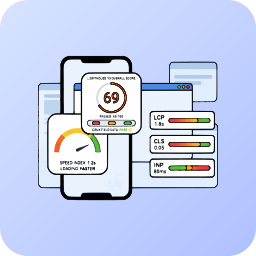
View plugin details ↗Monitor and improve your Core Web Vitals (LCP, CLS, INP) using professional Lighthouse 10 analysis, completely managed via the Mega Plugin Hub.
0+ active installations
- Version
- 2.1.0
- WordPress
- 6.0+
- PHP
- 7.4+
- Updated
- 14 Sep 2026
View plugin details ↗WooCommerce abandoned cart recovery with one editable email reminder, cart restore links and local reports. No account required.
0+ active installations
- Version
- 1.1.34
- WordPress
- 6.5+
- PHP
- 8.1+
- Updated
- 19 Nov 2026
View plugin details ↗A lightweight Gmail OAuth2 and custom SMTP plugin for WordPress. Easy to set up, with secure authentication and email logging.
0+ active installations
- Version
- 1.0.0
- WordPress
- 5.6+
- PHP
- 7.4+
- Updated
- 27 Sep 2026
View plugin details ↗An elegant, fully responsive floating AI Chatbot bubble for your WordPress site. Connects securely to our secure AI Search platform.
0+ active installations
- Version
- 6.8.14
- WordPress
- 5.0+
- PHP
- 7.2+
- Updated
- 6 Nov 2026
View plugin details ↗Detects silent WooCommerce checkout failures in real time, logs diagnostic data locally, and alerts store owners via email.
0+ active installations
- Version
- 2.2.5
- WordPress
- 6.0+
- PHP
- 7.4+
- Updated
- 28 Oct 2026
View plugin details ↗Issue KSeF structured e-invoices (FA(3)) straight from WooCommerce orders — no intermediaries, no per-invoice fees.
0+ active installations
- Version
- 0.3.0
- WordPress
- 6.5+
- PHP
- 8.1+
- Updated
- 26 Sep 2026
View plugin details ↗Privacy-first WordPress monitoring: uptime, SSL, cron and server checks, a Site Health score and an alert center, plus login protection.
20+ active installations
- Version
- 1.12.1
- WordPress
- 6.0+
- PHP
- 7.4+
- Updated
- 1 Oct 2026
View plugin details ↗WordPress security that stays out of the way: login protection, two-factor, firewall, hardening, a scanner and an activity log.
0+ active installations
- Version
- 2.3.0
- WordPress
- 6.0+
- PHP
- 7.4+
- Updated
- 16 Oct 2026
View plugin details ↗Review WooCommerce failed payments, abandoned checkout signals, reports, and manual recovery opportunities from WordPress.
0+ active installations
- Version
- 0.2.58
- WordPress
- 5.8+
- PHP
- 7.4+
- Updated
- 5 Nov 2026
View plugin details ↗Automatically ping the Google Indexing API when posts or pages are published to force instant crawling without waiting for Googlebot.
0+ active installations
- Version
- 1.0.0
- WordPress
- 6.0+
- PHP
- 7.4+
- Updated
- 29 Oct 2026
View plugin details ↗AI-assisted email, push notification, and social campaign management for WordPress via Brevo, Firebase, and Zernio.
0+ active installations
- Version
- 1.1.2
- WordPress
- 5.8+
- PHP
- 7.4+
- Updated
- 23 Sep 2026
View plugin details ↗