The Clover Payments plugin enables merchants that use WooCommerce to process online card payments using Clover.
★ 1.7/5 (16)2,000+ active installations
- Version
- 2.3.2
- WordPress
- 6.1+
- PHP
- 7.4+
- Updated
- 17 Mar 2026
View plugin details ↗Maintain SEO rankings with custom URL suffixes like .php or .html. Perfect for legacy site migrations, fixing 404s, and preserving link juice.
★ 5.0/5 (1)200+ active installations
- Version
- 2.2
- WordPress
- 2.5.1+
- Updated
- 2 Apr 2026
View plugin details ↗Easily sell and manage software license keys through your WooCommerce shop
★ 4.6/5 (147)5,000+ active installations
- Version
- 3.0.20
- WordPress
- 4.7+
- PHP
- 7.0+
- Updated
- 7 Aug 2026
View plugin details ↗Replaces WooCommerce search with AI semantic search. Finds products even with natural language queries. No OpenAI key needed. Free forever.
★ 5.0/5 (3)200+ active installations
- Version
- 1.5.5
- WordPress
- 5.8+
- PHP
- 7.4+
- Updated
- 3 Nov 2026
View plugin details ↗Build professional WordPress sites faster. All features free forever. No locked blocks. Optional Cloud Library saves you time.
★ 5.0/5 (17)600+ active installations
- Version
- 2.2.3
- WordPress
- 6.3+
- PHP
- 8.0+
- Updated
- 2 Sep 2026
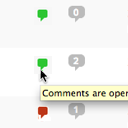
View plugin details ↗Conveniently close or open comments for a post or page with one click from the admin listing of posts.
★ 4.9/5 (10)5,000+ active installations
- Version
- 3.0
- WordPress
- 4.7+
- Updated
- 17 Apr 2025
View plugin details ↗Embed Livid videos and migrate from Vimeo to Livid seamlessly.
★ 5.0/5 (3)300+ active installations
- Version
- 2.2.1
- WordPress
- 6.5+
- PHP
- 7.4+
- Updated
- 5 Nov 2026
View plugin details ↗Image Slider - The best and very easy slider plugin for your post, page or sidebar. 100% Responsive.
★ 3.4/5 (31)4,000+ active installations
- Version
- 1.1.130
- WordPress
- 3.5+
- Updated
- 17 Sep 2026
View plugin details ↗Make your site fast. Page caching, CSS/JS/HTML optimization, modern images, and Core Web Vitals tools in one simple plugin.
★ 4.9/5 (28)200+ active installations
- Version
- 2.0.1
- WordPress
- 6.9+
- PHP
- 8.1+
- Updated
- 5 Nov 2026
View plugin details ↗Protect your WordPress. The ultimate lightweight security suite. Block brute-force attacks, auto-repair infected core files, hide your login URL, set …
★ 5.0/5 (3)200+ active installations
- Version
- 4.0.4
- WordPress
- 5.0+
- PHP
- 7.4+
- Updated
- 30 Apr 2026
View plugin details ↗Free. Set up 301 and 302 redirects, URL rotation, geo redirect and device redirect rules, plus domain forwarding and per-rule statistics.
★ 5.0/5 (1)300+ active installations
- Version
- 1.5.10
- WordPress
- 5.6+
- PHP
- 7.4+
- Updated
- 9 Nov 2026
View plugin details ↗Receive an email after each successful login with the user information
★ 3.8/5 (11)1,000+ active installations
- Version
- 1.7.0
- WordPress
- 4.0.1+
- PHP
- 5.5+
- Updated
- 27 Jan 2026
View plugin details ↗