WCPOS is a point of sale (POS) for WooCommerce. Same stock online and at the till. Free, no transaction fees. Keep selling when the connection drops.
★ 3.7/5 (84)5,000+ active installations
- Version
- 2.0.5
- WordPress
- 5.6+
- PHP
- 7.4+
- Updated
- 21 Nov 2026
WORDPRESS RESOURCES
Explore public plugin information from the official WordPress.org directory. Compare what a plugin does, its requirements and update history before adding it to your website.
Explore WordPress hosting →5,931 matching plugins reported by WordPress.org · Page 45 of 50
Source: WordPress.org
Data refreshed 25 Nov 2026 18:25 UTC
WCPOS is a point of sale (POS) for WooCommerce. Same stock online and at the till. Free, no transaction fees. Keep selling when the connection drops.
Add options (addons) to your WooCommerce products so your customers can personalize their products. Product forms for everyone!
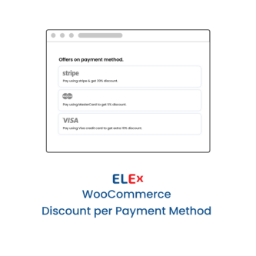
By ELEXtensions
It will be a pleasant little surprise for customers if you offer a discount based on the payment method they have chosen on the Checkout page.

By Jose Vega
Modern Bulk Editor for Posts and Pages, create and edit hundreds of posts at once in a spreadsheet inside wp-admin. Search and quick edits.

By Jack K
PowerPack for LearnDash offers 42 modules you can activate in a click to power up your LearnDash LMS website.
Conditional Discount Rules For WooCommerce Checkout Plugin will help you to create and manage complex discount rules based on your requirement.

By XLPlugins
Receive credit card payments using NMI (Network Merchants) Gateway with subscription support. Built with love by XLPlugins.

By Cool Plugins
Add input masks to Elementor Pro or Hello Plus form fields - phone, date, time, credit card, CPF, CNPJ, CEP & more for accurate entries.

By iKhokha
Accept Secure Credit and Debit Card Payments on Your WooCommerce Site

By Nks
Send bulk emails to your WordPress users directly from your dashboard — send to all, filter by role, personalise with placeholders.
Change variation stock status to out of stock or delete on specific date-time (variation availability till specific date-time only).

By Sharaz Shahid
Simple Sticky add to cart for WooCommerce show on product page top and bottom with full color customization and much more option.
CHOOSE WHAT YOUR WEBSITE NEEDS
Start with the task you need to solve. Compare features, WordPress and PHP requirements, update history and the author’s documentation. Test changes on a private copy and avoid adding several plugins for the same job.
This independent directory displays plugin information on WebFulHost and links to the official source. Packages are not mirrored or installed here. A plugin can include paid extensions or services with separate terms from its author.