

Shader Grid
By FWD
Powerful and extremely customizable responsive infinite image/video grid with WebGL shaders and lightbox support.
10+ active installations
- Version
- 1.0
- WordPress
- 6.0+
- PHP
- 8.0+
- Updated
- 21 May 2026
WORDPRESS RESOURCES
Explore public plugin information from the official WordPress.org directory. Compare what a plugin does, its requirements and update history before adding it to your website.
Explore WordPress hosting →1,556 matching plugins reported by WordPress.org · Page 45 of 50
Source: WordPress.org
Data refreshed 23 Nov 2026 09:39 UTC
By FWD
Powerful and extremely customizable responsive infinite image/video grid with WebGL shaders and lightbox support.

By Netgenerator GmbH Webdesign Berlin
A simple plugin to automatically collapse all Flexible Content fields on page load for a cleaner admin interface.

By Idowu Abayomi
An infinite scrolling image gallery marquee widget designed cleanly for Elementor layouts.

By demfilz
Mega menus, icons, badges, visibility rules, a mobile drawer, sticky headers, live search and product columns, from the native menu editor.

By Md. Shahinur Islam
A powerful and flexible sports scoreboard plugin for WordPress. Create and manage scoreboards for multiple sports with ease—no coding required.

By Nextendweb
Responsive slider plugin to create sliders in visual editor easily. Build beautiful image slider, layer slider, video slider, post slider, and more.

By andrewgolubev
Self-hosted, cookie-free scroll depth tracking. See how far visitors actually read your content right inside wp-admin.

By imranacademy
A beautiful, lightweight Table of Contents plugin with sticky option, smooth scroll, and scroll spy — no jQuery needed.

By WPAssist
Improve WordPress performance, strengthen security, simplify administration, and reduce website bloat with a single lightweight plugin.

By Ssebuwufu Moses
The ultimate free Coming Soon plugin. Features Auto-Launch countdown, Secret Client Access, Pro Action Button, plus a modern Glassmorphism design UI.
By Tormod Seljenes
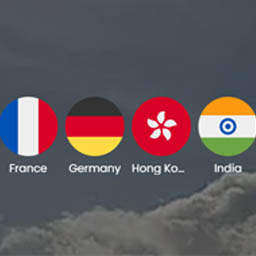
Display visited countries as flags via shortcode.

By studioweb34
Smooth scrolling done properly: the wheel, the keyboard and your anchor links. One settings screen, no tracking, no CDN.
CHOOSE WHAT YOUR WEBSITE NEEDS
Start with the task you need to solve. Compare features, WordPress and PHP requirements, update history and the author’s documentation. Test changes on a private copy and avoid adding several plugins for the same job.
This independent directory displays plugin information on WebFulHost and links to the official source. Packages are not mirrored or installed here. A plugin can include paid extensions or services with separate terms from its author.