A lightweight motion and interaction toolkit for Elementor. Add fade, reveal, marquee, hover and button motion effects with zero code.
★ 5.0/5 (2)40+ active installations
- Version
- 1.0.2
- WordPress
- 6.3+
- PHP
- 7.4+
- Updated
- 26 Aug 2026
View plugin details ↗Drop animated, accessible diagrams into any post or page. Responsive, themeable, mobile-friendly.
★ 5.0/5 (1)100+ active installations
- Version
- 2.4.0
- WordPress
- 6.3+
- PHP
- 7.4+
- Updated
- 7 Aug 2026
View plugin details ↗Be fully GDPR and CCPA compliant through Content Security Policy. Blocks cookies and unwanted external content.
★ 4.9/5 (67)10,000+ active installations
- Version
- 2.42
- WordPress
- 5.0+
- PHP
- 7.4+
- Updated
- 4 Nov 2026
View plugin details ↗Add a stylish, smooth, and fully customizable Back to Top button to your WordPress website with ease.
0+ active installations
- Version
- 2.1
- WordPress
- 6.0+
- PHP
- 7.4+
- Updated
- 4 Sep 2026
View plugin details ↗Remove Comment Author Link & Links from Comments, Unlink, Disable Comments, Delete All Pending Comments. AI Auto Comment Reply, Voice, Attachments
★ 4.1/5 (15)8,000+ active installations
- Version
- 2.7.7
- WordPress
- 5.2+
- PHP
- 5.6+
- Updated
- 21 Sep 2026
View plugin details ↗AI chatbot that learns your website and answers visitor questions 24/7. Connect in a few clicks, capture leads, hand chats to your team.
★ 5.0/5 (2)300+ active installations
- Version
- 1.2.1
- WordPress
- 5.8+
- PHP
- 7.4+
- Updated
- 16 Nov 2026
View plugin details ↗Heroic Table of Contents is the easiest way to add a table of contents to your site.
★ 4.7/5 (10)5,000+ active installations
- Version
- 1.3.2
- WordPress
- 6.7+
- PHP
- 8.0+
- Updated
- 14 Sep 2026
View plugin details ↗The best BuddyPress plugin for building online communities, user profile, social networks, and membership sites on WordPress with tons of features.
★ 4.8/5 (194)4,000+ active installations
- Version
- 1.3.7
- WordPress
- 4.9+
- PHP
- 5.6+
- Updated
- 15 Mar 2026
View plugin details ↗Lightning-fast AJAX post filtering — no page reload. Checkbox, radio and select filters, date range, sort, exclude/include and RTL support.
★ 5.0/5 (1)80+ active installations
- Version
- 2.3
- WordPress
- 5.6+
- PHP
- 7.4+
- Updated
- 27 Aug 2026
View plugin details ↗A lightweight plugin that converts a Contact Form 7 form into a customizable pop-up form which is slick, beautiful and responsive to different screen …
★ 4.7/5 (22)1,000+ active installations
- Version
- 1.7.16
- WordPress
- 3.5+
- PHP
- 7.2+
- Updated
- 24 Sep 2025
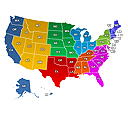
View plugin details ↗Create engaging Interactive United States Maps in WordPress for free. It's easy to install, simple, and highly customizable.
★ 5.0/5 (5)300+ active installations
- Version
- 3.4.8
- WordPress
- 3.3+
- PHP
- 5.3.3+
- Updated
- 25 Aug 2026
View plugin details ↗A different header for different parts of the site: transparent over a hero, dark on products, regular elsewhere. Set per template, category or page.
0+ active installations
- Version
- 1.0.0
- WordPress
- 6.6+
- PHP
- 7.4+
- Updated
- 23 Sep 2026
View plugin details ↗