Free WordPress helpdesk & support ticket system with AI chatbot, AI reply assistant, unlimited tickets and agents, Elementor and Gutenberg blocks.
★ 4.9/5 (289)10,000+ active installations
- Version
- 3.5.6
- WordPress
- 5.6+
- PHP
- 7.4+
- Updated
- 17 Nov 2026
WORDPRESS RESOURCES
Explore public plugin information from the official WordPress.org directory. Compare what a plugin does, its requirements and update history before adding it to your website.
Explore WordPress hosting →10,000 matching plugins reported by WordPress.org · Page 46 of 50
Source: WordPress.org
Data refreshed 24 Nov 2026 07:22 UTC
Free WordPress helpdesk & support ticket system with AI chatbot, AI reply assistant, unlimited tickets and agents, Elementor and Gutenberg blocks.
WordPress booking plugin for appointments & events. Control scheduling, calendars, orders, time slots, WooCommerce appointments & payments with ease.
Change variation stock status to out of stock or delete on specific date-time (variation availability till specific date-time only).

By nsp-code
Protect your website by concealing vulnerable WordPress traces, plugins, themes, login/admin url. 2FA, Captcha, Firewall, Security Headers etc.

By IniLerm
A complete WordPress security firewall: blocks IPs, bots, countries & ASN. Includes an intelligent WAF, Threat Scoring, Geo-Challenge, and 2FA.

The most powerful WordPress RSS aggregator, helping you curate content, autoblog, import RSS & display unlimited RSS feeds within a few minutes.
By agussuroyo
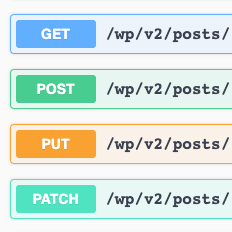
WordPress REST API with Swagger UI.

By Steve Truman
Places an icon, all time views count and views today count at the bottom of posts, pages and custom post types on any WordPress website.

By Mwale Kalenga
Stop page & browser caching with random version numbers and Cache-Control directives.
Disable right click to protect your content. Blocks text copying, image dragging, keyboard shortcuts, F12 and developer tools access.

By digitalpoint
All things Cloudflare (caching, flexible SSL, Turnstile, settings, rules, analytics, media in R2, image transforms [AVIF, WebP], secure admin area).

By vberkel
Get Schema.org structured data for all pages, posts, categories and profile pages on activation. Use Schema App to customize any Schema Markup.
CHOOSE WHAT YOUR WEBSITE NEEDS
Start with the task you need to solve. Compare features, WordPress and PHP requirements, update history and the author’s documentation. Test changes on a private copy and avoid adding several plugins for the same job.
This independent directory displays plugin information on WebFulHost and links to the official source. Packages are not mirrored or installed here. A plugin can include paid extensions or services with separate terms from its author.