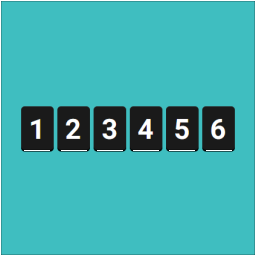
Display unique visitor or page-view counts anywhere on your site using widgets or shortcodes — Simple, very lightweight and no third-party code.
★ 4.2/5 (6)8,000+ active installations
- Version
- 2.2.3
- WordPress
- 3.4+
- Updated
- 31 May 2026
View plugin details ↗Replace WooCommerce variation dropdowns with radio buttons and configurable variation display options.
0+ active installations
- Version
- 2.5.0
- WordPress
- 4.4+
- Updated
- 24 Aug 2026
View plugin details ↗Reads Advanced Custom Fields (ACF) field structures and automatically generates client-ready update manuals in Markdown and PDF formats.
10+ active installations
- Version
- 1.0.0
- WordPress
- 6.0+
- PHP
- 7.4+
- Updated
- 19 Oct 2026
View plugin details ↗Professional Google Translate integration with Lazy-Load, SEO-Hreflang tags, Auto-Injection, and Email Protection.
0+ active installations
- Version
- 1.0
- WordPress
- 6.0+
- PHP
- 7.4+
- Updated
- 2 May 2026
View plugin details ↗Import photo & video reviews from AliExpress, Amazon, Temu, Shein & more, collect reviews by email, and show them in 19 WooCommerce widgets.
40+ active installations
- Version
- 1.3.5
- WordPress
- 5.8+
- PHP
- 7.4+
- Updated
- 5 Sep 2026
View plugin details ↗WordPress popup plugin, popup builder, and contact form builder for exit intent popups, optin forms, spin wheels, and WooCommerce lead generation.
★ 5.0/5 (1)10+ active installations
- Version
- 2.3.4
- WordPress
- 5.3+
- PHP
- 7.4+
- Updated
- 24 Nov 2026
View plugin details ↗Visually customize the native WordPress login page using structured controls and a protected draft preview.
0+ active installations
- Version
- 1.0.0
- WordPress
- 6.5+
- PHP
- 8.2+
- Updated
- 21 Nov 2026
View plugin details ↗On-demand invoice and packing-slip documents for WooCommerce orders, printable to PDF from any browser -- no bundled PDF library.
0+ active installations
- Version
- 1.0.1
- WordPress
- 6.9+
- PHP
- 7.4+
- Updated
- 15 Nov 2026
View plugin details ↗A Gutenberg block that lets site visitors resize text for improved readability and accessibility.
0+ active installations
- Version
- 1.0.0
- WordPress
- 6.7+
- PHP
- 7.4+
- Updated
- 13 Feb 2026
View plugin details ↗A collection of over fifty modules containing useful functions in a single plugin.
0+ active installations
- Version
- 1.7.0
- WordPress
- 6.0+
- PHP
- 7.4+
- Updated
- 11 Aug 2026
View plugin details ↗The Lightweight WordPress Plugin for Effortless Options Page Creation
★ 5.0/5 (1)0+ active installations
- Version
- 0.2.8
- WordPress
- 6.5+
- PHP
- 8.0+
- Updated
- 10 Jun 2025
View plugin details ↗Post and Page Builder is a standalone plugin which adds functionality to the existing TinyMCE Editor.
★ 4.7/5 (140)50,000+ active installations
- Version
- 1.27.15
- WordPress
- 4.7+
- PHP
- 7.4+
- Updated
- 25 Sep 2026
View plugin details ↗