
Easy Code Highlighter
By ReorMadrid
Displays code with syntax highlighting using Prism.js, real line numbering, and a copy button.
0+ active installations
- Version
- 1.00
- WordPress
- 5.1+
- PHP
- 7.0+
- Updated
- 11 Mar 2025
WORDPRESS RESOURCES
Explore public plugin information from the official WordPress.org directory. Compare what a plugin does, its requirements and update history before adding it to your website.
Explore WordPress hosting →1,121 matching plugins reported by WordPress.org · Page 46 of 50
Source: WordPress.org
Data refreshed 22 Nov 2026 20:11 UTC
By ReorMadrid
Displays code with syntax highlighting using Prism.js, real line numbering, and a copy button.

By Gemini Labs
Black Bar is an unobtrusive Debug Bar for WordPress developers that attaches itself to the bottom of the browser window.

By Ahsan Riad
Quickly view active theme, post/page count, and storage stats with REST API and React for interactive insights.

By Presslyte
Check image alt text and saved links, compare descriptions and recheck corrections. Optional AI drafts with your OpenAI or OpenRouter account.

By creativestrategy24
Inventory and expense management for dental clinics and labs. JAN barcode scanning, expiry alerts, supplier ranking, and savings tracking.

By WP Umbrella - Backup WordPress
Everything you need to sell WordPress maintenance and manage multiple sites effortlessly: backup, update, uptime monitoring, and security.

By Code Amp
Search and Filtering for Custom Posts, Categories, Tags, Taxonomies, Post Dates and Post Types

By Faiz R
Enhance your Elementor Website Builder with Addon Elementor Container Link by adding custom URL or link support to containers, sections, inner section …
High-performance AJAX live search with relevance ranking, advanced filters, search analytics, and WooCommerce support.

By chrisvrichardson
Free map plugin: unlimited maps and markers, no API key, no cookies from MapPress. Google Maps, OpenStreetMap & Mapbox. Map blocks, store locators.

By Amzil Ayoub
Lazy Backup is a WordPress plugin for one-click database backups and file access from the admin dashboard.
By Drew Jaynes
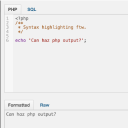
Adds a PHP/SQL console to the Debug Bar. Requires the Debug Bar plugin.
CHOOSE WHAT YOUR WEBSITE NEEDS
Start with the task you need to solve. Compare features, WordPress and PHP requirements, update history and the author’s documentation. Test changes on a private copy and avoid adding several plugins for the same job.
This independent directory displays plugin information on WebFulHost and links to the official source. Packages are not mirrored or installed here. A plugin can include paid extensions or services with separate terms from its author.
