

QuadLayers TikTok Feed
By quadlayers
Display beautiful and responsive galleries on your website from your TikTok feed account.
★ 3.9/5 (61)7,000+ active installations
- Version
- 4.7.0
- WordPress
- 4.7+
- PHP
- 5.6+
- Updated
- 28 Oct 2026
WORDPRESS RESOURCES
Explore public plugin information from the official WordPress.org directory. Compare what a plugin does, its requirements and update history before adding it to your website.
Explore WordPress hosting →10,000 matching plugins reported by WordPress.org · Page 46 of 50
Source: WordPress.org
Data refreshed 24 Nov 2026 13:58 UTC
By quadlayers
Display beautiful and responsive galleries on your website from your TikTok feed account.

By Thomas Geiger
Advanced tag management for WordPress with Google Tag Manager

By Fahad Mahmood
Blocks malicious and unknown query-string requests, detects injection attempts, and audits user capabilities and sessions.
Free email automation, email campaigns, exit intent popup builder, gamified popups with spin the wheel, contact forms & smart pop ups. 🎉
AI-Powered schema markup plugin for WordPress. Generate JSON-LD schema and FAQs, validate Rich Results, and audit your structured data.

By Samuel Aguilera
A friendly SMTP plugin for WordPress. No third-party, simply using WordPress native possibilities.

By Saad Iqbal
Gutena Accordion is a WordPress Plugin which makes accordion dropdown creation really easy inside the block editor. Furthermore, it is very light weig …

By WebFactory
Are your Google Maps slow? Try Map Widget for Google Maps. You'll have a fast Google Maps widget with a thumbnail & lightbox map in minutes!
Easy Drag & Drop Page Builder that adds a splash page to your site that it's perfect for a coming soon page, maintenance or landing page.
By scribu
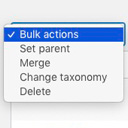
Allows you to merge terms, move terms between taxonomies, and set term parents, individually or in bulk.

By Passionate Brains
Connect Google Analytics to WordPress in a few clicks. Track key WooCommerce & WordPress events with a GA4 dashboard built into wp-admin.

By Delower Hossain
A powerful and user-friendly plugin to block AI crawlers and malicious data scraper bots, protecting your content and server resources.
CHOOSE WHAT YOUR WEBSITE NEEDS
Start with the task you need to solve. Compare features, WordPress and PHP requirements, update history and the author’s documentation. Test changes on a private copy and avoid adding several plugins for the same job.
This independent directory displays plugin information on WebFulHost and links to the official source. Packages are not mirrored or installed here. A plugin can include paid extensions or services with separate terms from its author.


