User Role Editor WordPress plugin makes user roles and capabilities changing easy. Edit/add/delete WordPress user roles and capabilities.
★ 4.5/5 (288)600,000+ active installations
- Version
- 4.67.1
- WordPress
- 4.7+
- PHP
- 8.2+
- Updated
- 16 Nov 2026
View plugin details ↗Styble enhances your Gutenberg editor with powerful and easy-to-use blocks that let you build innovative and engaging websites faster and easier.
★ 5.0/5 (4)40+ active installations
- Version
- 1.3.8
- WordPress
- 5.2+
- PHP
- 7.0+
- Updated
- 21 Aug 2026
View plugin details ↗Checkout Field Editor for WooCommerce – The best WooCommerce checkout manager plugin to manage checkout fields in both Classic & Block Checkout.
★ 4.9/5 (1,056)400,000+ active installations
- Version
- 2.2.1
- WordPress
- 5.0+
- PHP
- 5.6+
- Updated
- 30 Oct 2026
View plugin details ↗Focused Gutenberg blocks for CTAs, tables of contents, countdowns, checklists, author boxes, and more - without a separate page builder.
★ 5.0/5 (1)100+ active installations
- Version
- 1.3.0
- WordPress
- 6.5+
- PHP
- 7.4+
- Updated
- 31 Jul 2026
View plugin details ↗All-in-one enhancement suite that improves WordPress & Advanced Custom Fields.
★ 4.8/5 (132)100,000+ active installations
- Version
- 0.9.2.8
- WordPress
- 4.9+
- PHP
- 5.6+
- Updated
- 19 Oct 2026
View plugin details ↗Elementor addons with 18+ free widgets, Header & Footer Builder, WooCommerce widgets & templates. Trusted by 2+ million websites.
★ 4.9/5 (2,529)2,000,000+ active installations
- Version
- 2.9.8
- WordPress
- 5.0+
- PHP
- 7.4+
- Updated
- 17 Nov 2026
View plugin details ↗25+ responsive Gutenberg blocks with dark mode. Customize desktop, tablet & mobile separately. Fast, lightweight, no bloat and friendly to use.
★ 5.0/5 (2)200+ active installations
- Version
- 1.1.0
- WordPress
- 6.4+
- PHP
- 7.4+
- Updated
- 7 Jun 2026
View plugin details ↗Search Engine (SEO) & Performance Optimization (WPO) via caching. Integrated caching: CDN, Page, Minify, Object, Fragment, Database support.
★ 4.4/5 (5,420)800,000+ active installations
- Version
- 2.11.0
- WordPress
- 6.0+
- PHP
- 7.4+
- Updated
- 20 Oct 2026
View plugin details ↗Easily manage and customize popups on your website with a user-friendly interface, enhancing engagement without sacrificing page speed.
★ 5.0/5 (4)500+ active installations
- Version
- 1.2.6
- WordPress
- 6.1+
- PHP
- 7.0+
- Updated
- 21 Apr 2025
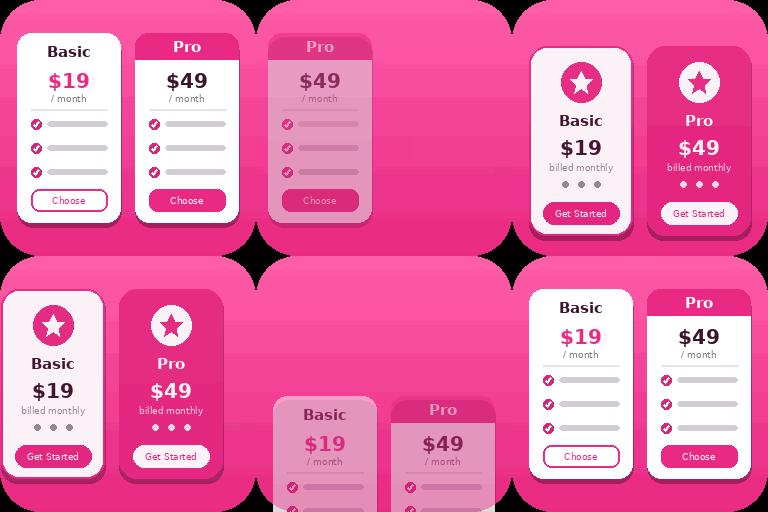
View plugin details ↗Create responsive WordPress pricing tables in Gutenberg with customizable plans, feature lists, CTA buttons, and clear pricing comparisons.
★ 5.0/5 (2)200+ active installations
- Version
- 1.2.0
- WordPress
- 6.5+
- PHP
- 7.4+
- Updated
- 8 Nov 2026
View plugin details ↗Block PDFs from Google indexing, compress and watermark. Nordic GDPR processing with deletion certificates.
★ 5.0/5 (1)30+ active installations
- Version
- 1.0.29
- WordPress
- 5.0+
- PHP
- 7.4+
- Updated
- 30 Mar 2026
View plugin details ↗Google Reviews plugin for WordPress. Set up in a minute. No API keys or sign-in. Free, GDPR, review updates, multiple places, widgets and shortcodes.
★ 4.9/5 (1,628)100,000+ active installations
- Version
- 7.3
- WordPress
- 6.0+
- PHP
- 7.2+
- Updated
- 15 Nov 2026
View plugin details ↗