

My Tickets – Accessible Event Ticketing
By Joe Dolson
My Tickets is a simple, flexible platform for selling event tickets with WordPress.
★ 4.9/5 (27)600+ active installations
- Version
- 2.3.2
- WordPress
- 6.4+
- PHP
- 7.4+
- Updated
- 14 Oct 2026
WORDPRESS RESOURCES
Explore public plugin information from the official WordPress.org directory. Compare what a plugin does, its requirements and update history before adding it to your website.
Explore WordPress hosting →10,000 matching plugins reported by WordPress.org · Page 46 of 50
Source: WordPress.org
Data refreshed 22 Nov 2026 04:34 UTC
By Joe Dolson
My Tickets is a simple, flexible platform for selling event tickets with WordPress.
By Pektsekye
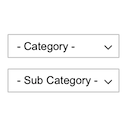
Displays product categories as dependent drop-down selects.

By pressidium
Lightweight, user-friendly and customizable cookie consent banner to help you comply with the EU GDPR cookie law and CCPA regulations.
AI-assisted WordPress diagnostics, performance checks, security insights, logs, cron monitoring, database health, and more.
Elementor addon for The Events Calendar. Show events in Grid, Carousel, Slider, Minimal List and Timeline layouts with AJAX live filters.

By Merv Barrett
Fast. Flexible. Forward-thinking solution for real estate agents using WordPress. Built for scale, listing management and works with any theme.

By Unlimited Elements
Easily move, duplicate, backup and copy paste content and designs between your WordPress websites in seconds.

By Wow-Company
A powerful and user-friendly tool for building custom online calculators.

By Justin Sternberg
CMB2 is a metabox, custom fields, and forms library for WordPress that will blow your mind.

By bradyk00
Connect your WooCommerce store to Gun Made - the largest 2A Industry search engine. Your products automatically appear on gunmade.com.
YITH WooCommerce Color and Label Variations replaces the dropdown select of your variable products with Colors and Labels
AI-powered WordPress directory plugin to build a business directory or classified ads site: maps, reviews, radius search, paid listings. No coding.
CHOOSE WHAT YOUR WEBSITE NEEDS
Start with the task you need to solve. Compare features, WordPress and PHP requirements, update history and the author’s documentation. Test changes on a private copy and avoid adding several plugins for the same job.
This independent directory displays plugin information on WebFulHost and links to the official source. Packages are not mirrored or installed here. A plugin can include paid extensions or services with separate terms from its author.


