ElementsOcean is a powerful add-on for Elementor that lets you quickly and easily create beautiful, responsive websites with stunning visual effects.
10+ active installations
- Version
- 1.0.3
- WordPress
- 5.0+
- PHP
- 7.3+
- Updated
- 20 Nov 2022
View plugin details ↗Video Gallery plugin to create responsive video galleries, WooCommerce product videos & HLS streaming with YouTube, Bunny Stream and 10+ video sou …
★ 5.0/5 (5)50+ active installations
- Version
- 1.7.6
- WordPress
- 5.9.0+
- PHP
- 7.4+
- Updated
- 21 Aug 2026
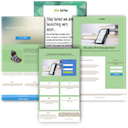
View plugin details ↗Landing Page Builder lets you create Custom Pages using pre designed Free Landing Page templates with Ultimate Landing Page Builder.
★ 4.1/5 (107)500+ active installations
- Version
- 3.2
- WordPress
- 3.0+
- Updated
- 17 Aug 2023
View plugin details ↗Add Supsis Live Support System to your WordPress for free to easily communicate with your customers, answer their questions, generate leads and increa …
★ 5.0/5 (4)10+ active installations
- Version
- 1.0.2
- WordPress
- 5.2+
- PHP
- 7.2+
- Updated
- 2 Nov 2022
View plugin details ↗The Organic Profile Block is a custom block for the Gutenberg content editor. It displays a profile card with an image, name, title, biography, and so …
★ 3.8/5 (4)1,000+ active installations
- Version
- 1.5.2
- WordPress
- 5.0+
- Updated
- 8 Jul 2021
View plugin details ↗Easily showcase what your customers or users are saying about you or your business.
★ 5.0/5 (1)10+ active installations
- Version
- 1.4.2
- WordPress
- 3.8+
- Updated
- 15 Mar 2021
View plugin details ↗eCommerce Addon is an Elementor Addon Plugin for eCommerce Websites.
10+ active installations
- Version
- 1.4
- WordPress
- 6.0+
- PHP
- 7.0+
- Updated
- 6 Jul 2023
View plugin details ↗Designed Open Graph covers for your WooCommerce store — product, category and shop pages get share-worthy social cards. Free tier available.
★ 5.0/5 (1)0+ active installations
- Version
- 0.37.0
- WordPress
- 6.0+
- PHP
- 7.4+
- Updated
- 6 Nov 2026
View plugin details ↗Connect your WordPress website to MEGA's AI-powered SEO platform for automated content optimization and growth.
200+ active installations
- Version
- 2.55.4
- WordPress
- 4.4+
- PHP
- 7.2+
- Updated
- 21 Nov 2026
View plugin details ↗A WordPress plugin to display your customers comments.
10+ active installations
- Version
- 1.0.0
- WordPress
- 5.8+
- Updated
- 22 Nov 2022
View plugin details ↗LiveSession is a session replay tool that will help you learn more about your users. You can watch how they interact with your website.
★ 5.0/5 (1)100+ active installations
- Version
- 1.0.0
- WordPress
- 4.6+
- PHP
- 5.6+
- Updated
- 19 Jul 2021
View plugin details ↗Create a simple and attractive store for your affiliate products and banner advertisements. Easily manage the products you promote.
★ 5.0/5 (9)90+ active installations
- Version
- 1.5
- WordPress
- 3.4+
- Updated
- 24 Mar 2021
View plugin details ↗