
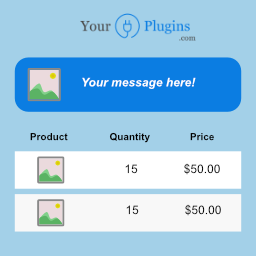
Show cart messages or notices in your WooCommerce cart by using conditional rules! Made with love by yourplugins.com
★ 5.0/5 (4)40+ active installations
- Version
- 1.3.5
- WordPress
- 4.3.1+
- Updated
- 5 Nov 2026
WORDPRESS RESOURCES
Explore public plugin information from the official WordPress.org directory. Compare what a plugin does, its requirements and update history before adding it to your website.
Explore WordPress hosting →2,831 matching plugins reported by WordPress.org · Page 47 of 50
Source: WordPress.org
Data refreshed 24 Nov 2026 06:15 UTC
Show cart messages or notices in your WooCommerce cart by using conditional rules! Made with love by yourplugins.com
Build a list or grid layout of any post type (posts, products, pages + more).

Featured by WPTuts. Native AI Translation Agent that automatically translates your site with ChatGPT, Claude, Gemini, Grok, DeepSeek, DeepL and more.
Secure WordPress MCP server for Claude, ChatGPT, Codex & Cursor. Manage posts, WooCommerce, SEO, media, users, builders, LMS & events.
Buy now button, a shorter checkout, quantity −/+ buttons and AJAX cart updates for WooCommerce — fewer clicks from product to order.
Create high-converting popups, floating hello bars, slide-ins, opt-in forms & CTAs in minutes. Unlimited campaigns, no pageview limits & no coding.

By Pankaj Agrawal
Visibility Control for WooCommerce helps you hide or show messages, menu and content for specific criterion anywhere on your WordPress page.

By SEO Squirrly
Become the brand AI recommends. SEO + AEO + GEO so your WordPress ranks on Google and gets cited by ChatGPT, Perplexity, Gemini & AI Overviews.

Group core blocks into containers or repeaters to create layouts like grid, carousel, popup, accordion all in the Block Editor. Fast. Easy.

By Mohammed Kaludi
AMP for WP is the most recommended AMP plugin by the community. Automatically add Accelerated Mobile Pages (Google AMP Project) functionality on your …

By VW THEMES
Build your dream WordPress website with Ibtana, a powerful website builder with customizable templates and drag-and-drop elements for customization.

By FooPlugins
A responsive image lightbox for WordPress galleries, WordPress attachments & FooGallery
CHOOSE WHAT YOUR WEBSITE NEEDS
Start with the task you need to solve. Compare features, WordPress and PHP requirements, update history and the author’s documentation. Test changes on a private copy and avoid adding several plugins for the same job.
This independent directory displays plugin information on WebFulHost and links to the official source. Packages are not mirrored or installed here. A plugin can include paid extensions or services with separate terms from its author.



