Our Share Button addon to MaxButtons and MaxButtons Pro plugins gets you up and sharing within minutes. It's easy to setup and offers flexibility …
★ 4.8/5 (28)1,000+ active installations
- Version
- 1.35
- WordPress
- 4.8+
- PHP
- 7.0+
- Updated
- 21 Nov 2026
View plugin details ↗Add a WhatsApp chat button, WooCommerce WhatsApp order button & click-to-chat floating widget. Capture leads & convert visitors via chat.
★ 4.4/5 (9)2,000+ active installations
- Version
- 3.7.5
- WordPress
- 5.7+
- PHP
- 7.0+
- Updated
- 20 Nov 2026
View plugin details ↗LiveAgent is a multichannel help desk software that offers over 180 help desk and live chat features. Discover the power of the universal inbox, a hyb …
★ 4.2/5 (32)400+ active installations
- Version
- 4.5.3
- WordPress
- 3.0.1+
- Updated
- 6 Oct 2026
View plugin details ↗AI-powered form builder that’s built for performance, simplicity, and feels like a part of WordPress, not a separate platform.
★ 4.4/5 (7)1,000+ active installations
- Version
- 1.12.6
- WordPress
- 6.6+
- PHP
- 7.4+
- Updated
- 15 Nov 2026
View plugin details ↗
By CreativeMindsSolutions
Block unwanted email registrations on your site with this email blacklist plugin. Protect your site by preventing spam sign-ups.
★ 4.5/5 (8)700+ active installations
- Version
- 1.6.6
- WordPress
- 5.4.0+
- PHP
- 5.2.4+
- Updated
- 13 Oct 2026
View plugin details ↗Display engaging vertical videos in WordPress with the ultimate WordPress reels plugin.
★ 5.0/5 (2)70+ active installations
- Version
- 1.0.14
- WordPress
- 5.0+
- PHP
- 7.2+
- Updated
- 17 Sep 2026
View plugin details ↗A header builder that works with any theme. Front-end drag&drop interface to create pixel perfect headers with ease.
★ 4.7/5 (9)200+ active installations
- Version
- 1.4.0
- WordPress
- 6.6+
- PHP
- 7.4+
- Updated
- 13 Nov 2026
View plugin details ↗Puts Facebook, Twitter, LinkedIn, Pinterest, Tumblr and other social share buttons of your choice above or below your posts.
★ 5.0/5 (4)50+ active installations
- Version
- 1.1.2
- WordPress
- 2.9+
- PHP
- 7.4+
- Updated
- 14 Aug 2026
View plugin details ↗WP Travel Gutenberg Blocks is the easiest, most flexible way to display your Trips using the Gutenberg blocks.
800+ active installations
- Version
- 3.9.9
- WordPress
- 6.0+
- PHP
- 7.4+
- Updated
- 12 Oct 2026
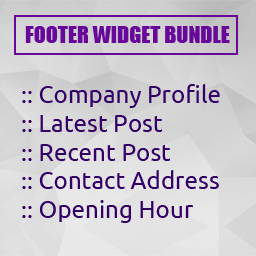
View plugin details ↗Footer widget bundle includes company information, latest post, contact address and opening hours.
★ 5.0/5 (1)100+ active installations
- Version
- 1.1.0
- WordPress
- 6.0+
- PHP
- 7.4+
- Updated
- 1 Jun 2026
View plugin details ↗Visually build any type of table in WordPress data tables, WooCommerce product tables, and post tables from scratch or use table templates.
★ 5.0/5 (4)3,000+ active installations
- Version
- 2.4.2
- WordPress
- 6.1+
- PHP
- 7.4+
- Updated
- 17 Nov 2026
View plugin details ↗All-in-one WordPress image optimization: disable thumbnails, compress, convert to WebP & AVIF, clean your media library, and offload images to a CDN.
★ 3.7/5 (122)20,000+ active installations
- Version
- 6.10.3
- WordPress
- 6.0+
- PHP
- 7.4+
- Updated
- 19 Nov 2026
View plugin details ↗