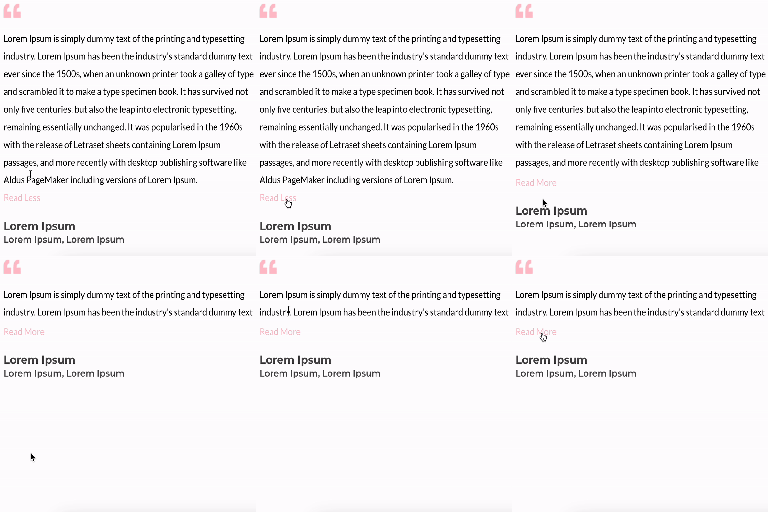
Unfold Text is a straightforward yet powerful add-on for Elementor that allows you to expand and collapse text with ease.
★ 4.6/5 (7)3,000+ active installations
- Version
- 1.2.1
- WordPress
- 6.0+
- PHP
- 7.0+
- Updated
- 8 Jul 2026
View plugin details ↗WooCommerce Product Badge and Label, Sale Badge, Sold Out Badge, Countdown Timer, Notification Bar (PRO), Quick View, out-of-stock badge.
★ 4.8/5 (30)4,000+ active installations
- Version
- 7.7.0
- WordPress
- 5.0+
- PHP
- 5.6+
- Updated
- 5 Nov 2026
View plugin details ↗Create 360 virtual tours for real estate, hotels, and showrooms in minutes with WPVR, the #1 virtual tour creator plugin for WordPress!
★ 4.7/5 (134)10,000+ active installations
- Version
- 9.3.3
- WordPress
- 6.7+
- PHP
- 7.0.0+
- Updated
- 24 Nov 2026
View plugin details ↗Display lists of user avatars using widgets or shortcodes. With Gutenberg support.
★ 4.8/5 (32)3,000+ active installations
- Version
- 2.2.1
- WordPress
- 6.1+
- Updated
- 23 Nov 2026
View plugin details ↗Optimizes images on upload. Define max. size and select the types of images to convert to webp and what quality the optimized image should have.
★ 5.0/5 (1)50+ active installations
- Version
- 1.0.3
- WordPress
- 6.4+
- PHP
- 8.3+
- Updated
- 27 May 2026
View plugin details ↗Build classifieds section in seconds. Allow your visitors to browse and post (paid or free) classified ads on your site.
★ 4.8/5 (160)4,000+ active installations
- Version
- 2.3.6
- WordPress
- 5.7+
- PHP
- 7.0+
- Updated
- 24 Nov 2026
View plugin details ↗Conversational forms and async video messaging for WordPress. Visitors answer with video, voice, or text; Pro also supports screen recordings.
★ 5.0/5 (4)100+ active installations
- Version
- 3.1.6
- WordPress
- 6.0+
- PHP
- 7.4+
- Updated
- 16 Nov 2026
View plugin details ↗WhatsApp chat, Facebook Messenger, Telegram, TikTok, Instagram, Email, Line, WeChat Phone call, SMS, 20+ live chat icons & WhatsApp chat pop up 💬
★ 5.0/5 (1,248)300,000+ active installations
- Version
- 3.6.5
- WordPress
- 4.7+
- Updated
- 5 Nov 2026
View plugin details ↗Build fast, accessible accordions and FAQ sections in the WordPress block editor.
★ 4.4/5 (16)7,000+ active installations
- Version
- 1.6.0
- WordPress
- 6.6+
- PHP
- 7.4+
- Updated
- 12 Nov 2026
View plugin details ↗Disqus is the web's most popular comment system. Use Disqus to increase engagement, retain readers, and grow your audience.
★ 2.7/5 (219)30,000+ active installations
- Version
- 3.1.6
- WordPress
- 4.4+
- PHP
- 5.6+
- Updated
- 22 Oct 2026
View plugin details ↗Turn WooCommerce variation dropdowns into color, image, label and radio button swatches. The original Variation Swatches for WooCommerce.
★ 3.7/5 (59)40,000+ active installations
- Version
- 2.2.10
- WordPress
- 4.5+
- Updated
- 16 Nov 2026
View plugin details ↗Embed Instagram feeds and photo galleries anywhere on your site. Responsive, accessible and SEO-friendly, with a block, shortcode, and widget.
★ 4.7/5 (171)50,000+ active installations
- Version
- 1.9.0
- WordPress
- 6.3+
- PHP
- 7.1+
- Updated
- 19 Nov 2026
View plugin details ↗