Export WooCommerce products to CSV with filters, templates and history. Pro version adds XLSX, XML, JSON, scheduling and media export.
10+ active installations
- Version
- 1.1.1
- WordPress
- 6.5+
- PHP
- 7.4+
- Updated
- 6 Mar 2026
View plugin details ↗AI ChatBot for Support, Leads and Sales, with AI SEO, AI Writer, Email Marketing, Social Media Scheduling and Heatmaps to GROW your Website & Business
★ 4.7/5 (124)5,000+ active installations
- Version
- 9.2
- WordPress
- 6.2+
- PHP
- 7.4+
- Updated
- 19 Nov 2026
View plugin details ↗Auto-generate dynamic Open Graph (OG) images for every post, page, product, and archive — the Open Graph image generator that keeps your social share …
★ 5.0/5 (1)0+ active installations
- Version
- 0.5.0
- WordPress
- 6.3+
- PHP
- 7.4+
- Updated
- 14 Nov 2026
View plugin details ↗Video upload, library & embed block for Vimeo — upload large videos to Vimeo from WordPress without server limits, then manage and embed them.
0+ active installations
- Version
- 1.7.18
- WordPress
- 5.8+
- PHP
- 8.2+
- Updated
- 1 Nov 2026
View plugin details ↗THRON is the Italian AI-SaaS that centralizes product and content operations in a unified platform, cutting costs and saving time.
10+ active installations
- Version
- 1.5.4
- WordPress
- 5.9+
- PHP
- 7.4+
- Updated
- 17 Sep 2026
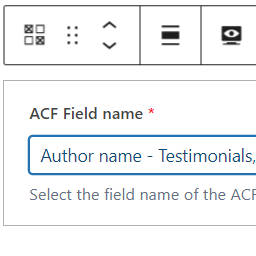
View plugin details ↗No code solution to display ACF fields using the ACF field block.
20+ active installations
- Version
- 1.3.1
- WordPress
- 6.2+
- Updated
- 18 Mar 2024
View plugin details ↗Build schema markup with reusable templates. Map WordPress fields, assign templates manually, and preview JSON-LD. Five schema types included free.
★ 5.0/5 (1)0+ active installations
- Version
- 1.0.5
- WordPress
- 6.0+
- PHP
- 8.0+
- Updated
- 20 Oct 2026
View plugin details ↗Add a full job board to WordPress — listings, filters, apply form, and SEO schema. Zero dependencies.
★ 5.0/5 (1)0+ active installations
- Version
- 1.0.0
- WordPress
- 6.0+
- PHP
- 7.4+
- Updated
- 25 May 2026
View plugin details ↗Find and safely delete unused images and media files. Works with Elementor, Divi, ACF, WooCommerce and every page builder, for free.
10+ active installations
- Version
- 1.1.0
- WordPress
- 6.2+
- PHP
- 7.4+
- Updated
- 19 Nov 2026
View plugin details ↗Export and import WooCommerce products, orders, pages and posts as an encoded string, a downloadable file or an Excel sheet.
10+ active installations
- Version
- 1.3.0
- WordPress
- 5.8+
- PHP
- 7.0+
- Updated
- 25 Oct 2026
View plugin details ↗Find where Media Library items are referenced before you replace or remove them.
10+ active installations
- Version
- 2.7.1
- WordPress
- 6.2+
- PHP
- 7.4+
- Updated
- 1 Nov 2026
View plugin details ↗Organize WordPress media with folders, safely clean unused and duplicate files, replace attachments, optimize images, and track storage.
★ 5.0/5 (2)10+ active installations
- Version
- 2.9.1
- WordPress
- 6.4+
- PHP
- 8.1+
- Updated
- 15 Sep 2026
View plugin details ↗