Adds lots of advanced options to control how you display the price for your WooCommerce variable products.
★ 5.0/5 (44)9,000+ active installations
- Version
- 1.4.2
- WordPress
- 5.8+
- PHP
- 7.2+
- Updated
- 18 May 2026
View plugin details ↗Create high-converting WooCommerce checkout pages, thank you pages & sales funnels with the highest-rated WordPress funnel builder.
★ 5.0/5 (1,036)30,000+ active installations
- Version
- 3.19.0.2
- WordPress
- 6.2+
- PHP
- 7.4+
- Updated
- 21 Nov 2026
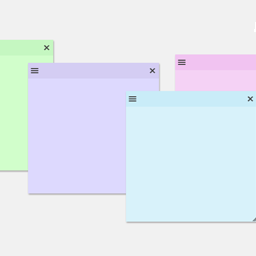
View plugin details ↗Create sticky notes in your WP admin for reminders and to-dos. Restrict notes by user roles and disable them on specific pages.
★ 5.0/5 (7)1,000+ active installations
- Version
- 1.2.7
- WordPress
- 3.6.0+
- PHP
- 5.6+
- Updated
- 4 Sep 2026
View plugin details ↗Implement attachment upload to the topics and replies in bbPress plugin through a media library and add additional forum-based controls.
★ 4.3/5 (26)6,000+ active installations
- Version
- 5.0.1
- WordPress
- 6.6+
- PHP
- 8.0+
- Updated
- 13 Nov 2026
View plugin details ↗Craft Addons is the best WPBakery addon plugin. Unlock modern elements and features for the WPBakery Page Builder (Visual Composer), with zero setup.
★ 5.0/5 (1)30+ active installations
- Version
- 1.3.0
- WordPress
- 6.0+
- PHP
- 7.4+
- Updated
- 13 Aug 2026
View plugin details ↗Enables you to display how many times a post/page had been viewed.
★ 4.4/5 (65)90,000+ active installations
- Version
- 2.0.1
- WordPress
- 6.8+
- PHP
- 8.2+
- Updated
- 24 Aug 2026
View plugin details ↗Add a Buy Now button that skips the cart, one page checkout landing pages, a sticky add to cart bar and auto-applied coupons to WooCommerce.
★ 5.0/5 (1)60+ active installations
- Version
- 1.4.2
- WordPress
- 6.6+
- PHP
- 7.4+
- Updated
- 28 Nov 2026
View plugin details ↗Give selected roles appearance access and simplify their WordPress admin menus and toolbar.
★ 4.8/5 (24)7,000+ active installations
- Version
- 4.0.0
- WordPress
- 6.2+
- PHP
- 7.4+
- Updated
- 26 Nov 2026
View plugin details ↗Add HTML editor to Contact Form 7 with code highlighter and extended form options.
★ 5.0/5 (2)1,000+ active installations
- Version
- 1.1.0
- WordPress
- 5.3+
- PHP
- 7.4+
- Updated
- 9 Nov 2026
View plugin details ↗Grow your sales and email list by offering your visitors a chance to win a prize through spinning the wheel of fortune.
★ 4.9/5 (81)1,000+ active installations
- Version
- 1.5.4
- WordPress
- 4.1+
- PHP
- 7.1+
- Updated
- 21 Nov 2026
View plugin details ↗Real-time private messaging, group chat, chat rooms, video and audio calls, AI chat bots and mobile apps for WordPress, BuddyPress and BuddyBoss.
★ 4.8/5 (143)10,000+ active installations
- Version
- 3.3.1
- WordPress
- 5.9.0+
- PHP
- 7.4+
- Updated
- 26 Nov 2026
View plugin details ↗Post Carousel Slider for Elementor, Elementor Post Slider, Elementor Post Carousel help to add post carousel with Elementor
★ 4.5/5 (50)3,000+ active installations
- Version
- 1.8.0
- WordPress
- 5.0+
- PHP
- 7.4+
- Updated
- 17 May 2026
View plugin details ↗