Add PDFs from your WordPress uploads folder to Yoast SEO's XML sitemap so search engines can discover them.
★ 5.0/5 (2)300+ active installations
- Version
- 1.2
- WordPress
- 6.7+
- PHP
- 7.4+
- Updated
- 17 Nov 2026
View plugin details ↗Convert taxonomy tags to checkboxes in the WordPress admin area.
★ 5.0/5 (2)700+ active installations
- Version
- 1.5.1
- WordPress
- 6.4+
- PHP
- 7.4+
- Updated
- 16 Nov 2026
View plugin details ↗Slider Pro is a responsive slider plugin that offers Premium features for FREE, including animated layers, post content, full width layout and more.
★ 5.0/5 (12)4,000+ active installations
- Version
- 4.8.17
- WordPress
- 4.0+
- Updated
- 17 Oct 2026
View plugin details ↗Easy Footnotes lets you quickly and easily add footnotes throughout your WordPress posts using a simple shortcode in the text editor.
★ 4.8/5 (33)8,000+ active installations
- Version
- 1.1.14
- WordPress
- 3.0.1+
- Updated
- 26 Aug 2026
View plugin details ↗Search through all fields in Media Library.
★ 4.4/5 (28)5,000+ active installations
- Version
- 1.0.1
- WordPress
- 3.5+
- Updated
- 9 Sep 2026
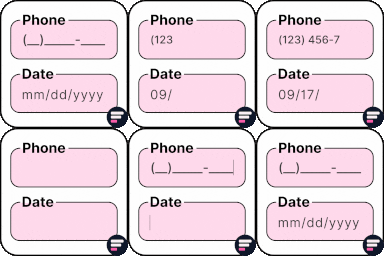
View plugin details ↗Apply input masks in Elementor form widget fields - phone, date, time, credit card, CPF, CNPJ, CEP & more for valid and error-free entries.
★ 4.5/5 (24)10,000+ active installations
- Version
- 4.4.5
- WordPress
- 5.0+
- PHP
- 7.2+
- Updated
- 1 Sep 2026
View plugin details ↗Manage and display (recurring) events, memberships, locations and maps, volunteers, widgets, RSVP, ICAL and RSS feeds, payment gateways. SEO ready.
★ 4.6/5 (111)1,000+ active installations
- Version
- 3.3.10
- WordPress
- 6.0+
- PHP
- 8.2+
- Updated
- 18 Nov 2026
View plugin details ↗Connect Claude, ChatGPT & any MCP client to WordPress. 114 abilities: content, SEO, WooCommerce, FSE, LMS & more. Free & self-hosted.
★ 5.0/5 (18)6,000+ active installations
- Version
- 2.17.1
- WordPress
- 6.9+
- PHP
- 8.0+
- Updated
- 18 Nov 2026
View plugin details ↗Generate QR codes for bank transfers in WooCommerce checkout to simplify payments for your customers.
★ 5.0/5 (1)400+ active installations
- Version
- 1.0.17
- WordPress
- 4.4+
- PHP
- 8.1+
- Updated
- 21 May 2026
View plugin details ↗This plugin helps to comply with the latest EU directive 2023/2673 by embedding a withdrawal button within your WooCommerce store.
★ 4.6/5 (7)6,000+ active installations
- Version
- 2.4.8
- WordPress
- 5.4+
- PHP
- 7.4+
- Updated
- 18 Nov 2026
View plugin details ↗Show or hide Elementor widgets, containers, columns, and pages based on user role, date, device, and many other powerful conditions.
★ 4.6/5 (89)50,000+ active installations
- Version
- 6.0.7
- WordPress
- 5.2+
- PHP
- 7.1+
- Updated
- 19 Oct 2026
View plugin details ↗Easily show or hide any WordPress block. Schedule block visibility. Restrict blocks to specific screen sizes, user roles, post types, and more.
★ 4.9/5 (108)40,000+ active installations
- Version
- 3.8.1
- WordPress
- 6.6+
- PHP
- 7.4+
- Updated
- 18 Sep 2026
View plugin details ↗