

AI SEO plugin for WordPress: meta tags, schema, XML sitemaps, Search Console, llms.txt and a safe MCP server for Claude and ChatGPT.
★ 5.0/5 (4)60+ active installations
- Version
- 1.4.2
- WordPress
- 6.6+
- PHP
- 7.4+
- Updated
- 18 Nov 2026
WORDPRESS RESOURCES
Explore public plugin information from the official WordPress.org directory. Compare what a plugin does, its requirements and update history before adding it to your website.
Explore WordPress hosting →3,060 matching plugins reported by WordPress.org · Page 48 of 50
Source: WordPress.org
Data refreshed 22 Nov 2026 16:32 UTC
AI SEO plugin for WordPress: meta tags, schema, XML sitemaps, Search Console, llms.txt and a safe MCP server for Claude and ChatGPT.

By iatoai
Connect Claude and other AI clients to your WordPress site to fix SEO and edit Elementor pages and menus, with a rollback for every change.

By rtCamp
Cleans nginx's fastcgi/proxy cache or redis-cache whenever a post is edited/published. Also does a few more things.

By miniOrange
Embed, manage, and sync Microsoft SharePoint and OneDrive documents, folders, lists, and files within WordPress pages, posts, or the media library.

By Ethan Lin
Provides an A to Z index page and widget.

By WordPress.org
Opt-in AI for WordPress: one stable feature plus experiments that may change or be removed. Needs an AI provider plugin and your own API key.

By 10up
Keep track of which Gutenberg Blocks are used across your site.
By Xylus Themes
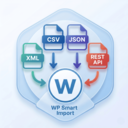
Import any XML file into WordPress in minutes — no coding needed, just drag, drop, map your fields & go live instantly!
Real estate plugin with AJAX search, Migration Engine, CSV import/export, Gutenberg, Elementor, Agent Workspace, and Analytics.
Enable or disable WooCommerce payment gateways based on cart conditions like the order total.

Build professional websites faster with ready-made pages and sections, plus flexible layout, typography, color, and spacing controls.

By quadlayers
Perfect Brands for WooCommerce allows you to show product brands in your WooCommerce based store
CHOOSE WHAT YOUR WEBSITE NEEDS
Start with the task you need to solve. Compare features, WordPress and PHP requirements, update history and the author’s documentation. Test changes on a private copy and avoid adding several plugins for the same job.
This independent directory displays plugin information on WebFulHost and links to the official source. Packages are not mirrored or installed here. A plugin can include paid extensions or services with separate terms from its author.

