The easiest to use WordPress map plugin! Create a custom map, map block, store locator or map widget with high quality markers.
★ 4.8/5 (3,069)300,000+ active installations
- Version
- 10.2.03
- WordPress
- 6.0+
- PHP
- 7.0+
- Updated
- 20 Nov 2026
WORDPRESS RESOURCES
Explore public plugin information from the official WordPress.org directory. Compare what a plugin does, its requirements and update history before adding it to your website.
Explore WordPress hosting →5,181 matching plugins reported by WordPress.org · Page 48 of 50
Source: WordPress.org
Data refreshed 21 Nov 2026 05:18 UTC
The easiest to use WordPress map plugin! Create a custom map, map block, store locator or map widget with high quality markers.
Build contact forms, lead capture forms, and multi-step forms in WordPress — with email automation, conditional logic, and spam protection built in.
Context-aware AI that analyzes both images and page content for accurate metadata. Process 1000+ images with 16x faster parallel processing.

Find and fix accessibility issues with confidence. Real-time reports, automated fixes, and guidance. Reduce compliance risk and reach more users.

By caterhamcomputing
Display WordPress child pages in a responsive grid or list using a shortcode, Gutenberg block or Elementor widget.
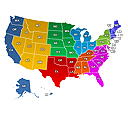
Create engaging Interactive United States Maps in WordPress for free. It's easy to install, simple, and highly customizable.

By Fesomia
Allows adding custom captions to the featured images of the posts.

By Code Domination
Click tracking for any CSS selector, built-in click heat maps, and real-visitor counts with bot filtering.

By Steve Truman
Places an icon, all time views count and views today count at the bottom of posts, pages and custom post types on any WordPress website.

By Ali Saleem
Generate researched, SEO-ready articles with AI, check and refresh content with SEO tools, auto-publish on a schedule, and add an AI chatbot.

By tapiokansleri
Free, no-ads, no-pro-version GDPR cookie consent with script blocking, consent logging, Google Consent Mode v2, and AI-assisted setup.

By Hidekazu Ishikawa
This plug-in is an integrated plug-in with a variety of features that make it powerful your web site.
CHOOSE WHAT YOUR WEBSITE NEEDS
Start with the task you need to solve. Compare features, WordPress and PHP requirements, update history and the author’s documentation. Test changes on a private copy and avoid adding several plugins for the same job.
This independent directory displays plugin information on WebFulHost and links to the official source. Packages are not mirrored or installed here. A plugin can include paid extensions or services with separate terms from its author.