

Access Areas for WordPress
By podpirate
Fine tuning access to your posts.
★ 4.5/5 (17)300+ active installations
- Version
- 1.5.22
- WordPress
- 4.6+
- PHP
- 5.6+
- Updated
- 5 Dec 2025
WORDPRESS RESOURCES
Explore public plugin information from the official WordPress.org directory. Compare what a plugin does, its requirements and update history before adding it to your website.
Explore WordPress hosting →8,338 matching plugins reported by WordPress.org · Page 48 of 50
Source: WordPress.org
Data refreshed 22 Nov 2026 08:39 UTC
By podpirate
Fine tuning access to your posts.

By jgwhite33
Display Thumbtack reviews with avatars in a fast WordPress slider or grid with a summary badge. Multi-page sources; stored locally on your server.

By quadlayers
Perfect Brands for WooCommerce allows you to show product brands in your WooCommerce based store

By A WP Life
Showcase customer reviews and feedback. Display testimonials in slider or grid layouts with a built-in frontend submission form builder.

By Smmooth WP Plugins
SMTP configuration, email logging, failure alerts, and fallback sending for WordPress.
Compress images & PDFs automatically, convert to WebP & AVIF, and generate SEO-friendly filenames with AI. Bulk optimization, smart crop & resize.
reSmush.it is the FREE image compressor and optimizer plugin - use it to optimize your images and improve the SEO and performance of your website.

By maennchen1.de
This plugin easily displays the folders and files from a selected directory. It can be placed by block or shortcode in any post.
By Jeroen Sormani
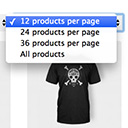
Products Per Page for WooCommerce is a easy-to-setup plugin that integrates a 'products per page' dropdown on your WooCommerce pages.

By Jeroen Peters
Name directory (glossary) with many options like multiple directories, integrated search, non-latin characters, recaptcha, HTML editor and many more.

By MartinCV
Hide posts or WooCommerce products from the homepage, archives, search, RSS, REST API, sitemaps and SEO tools — per-post control in any editor.
Flexible sidebars for custom classic widget configurations on any page or post. Create custom sidebars with ease!
CHOOSE WHAT YOUR WEBSITE NEEDS
Start with the task you need to solve. Compare features, WordPress and PHP requirements, update history and the author’s documentation. Test changes on a private copy and avoid adding several plugins for the same job.
This independent directory displays plugin information on WebFulHost and links to the official source. Packages are not mirrored or installed here. A plugin can include paid extensions or services with separate terms from its author.


