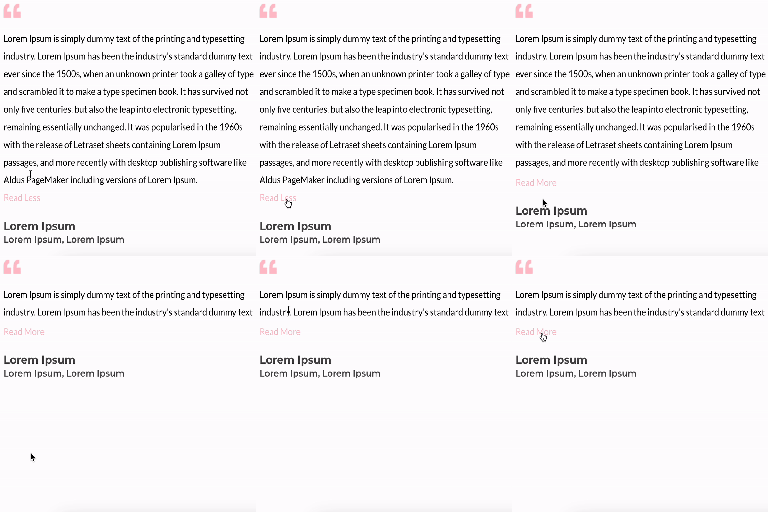
Unfold Text is a straightforward yet powerful add-on for Elementor that allows you to expand and collapse text with ease.
★ 4.6/5 (7)3,000+ active installations
- Version
- 1.2.1
- WordPress
- 6.0+
- PHP
- 7.0+
- Updated
- 8 Jul 2026
View plugin details ↗Displays a customizable loading screen with progress percentage while your website finishes loading, hiding unrendered content.
★ 4.6/5 (124)10,000+ active installations
- Version
- 1.2.9
- WordPress
- 3.0.6+
- Updated
- 10 Nov 2026
View plugin details ↗Embed your PDFs with ease. All you need : [flipbook pdf="https://flowpaper.com/example.pdf"]
★ 3.4/5 (38)10,000+ active installations
- Version
- 2.0.8
- WordPress
- 3.0+
- Updated
- 2 Jul 2026
View plugin details ↗Create a WordPress document library to manage, search and download files.
★ 4.1/5 (12)4,000+ active installations
- Version
- 1.3.2
- WordPress
- 6.1+
- PHP
- 7.4+
- Updated
- 28 Oct 2026
View plugin details ↗Create custom post types in WordPress with custom fields, taxonomies, and meta fields. AI-powered WordPress metadata plugin.
★ 5.0/5 (3)4,000+ active installations
- Version
- 1.2.2
- WordPress
- 6.5+
- PHP
- 8.0+
- Updated
- 23 Nov 2026
View plugin details ↗Serious Slider is a free highly efficient SEO friendly fully translatable accessibility ready image slider for WordPress. Seriously!
★ 3.4/5 (8)20,000+ active installations
- Version
- 1.4.2
- WordPress
- 5.0+
- PHP
- 7.0+
- Updated
- 5 Oct 2026
View plugin details ↗WordPress organization chart plugin is a nice and handy tool for creating simple and nice organizational charts. If you have any suggestions about the …
★ 5.0/5 (13)5,000+ active installations
- Version
- 1.7.6
- WordPress
- 3.4.0+
- Updated
- 12 Feb 2026
View plugin details ↗Show posts related to the current category or other custom post types.
★ 4.7/5 (13)3,000+ active installations
- Version
- 1.2.1
- WordPress
- 6.3+
- PHP
- 7.2+
- Updated
- 23 Sep 2026
View plugin details ↗Send Contact Form 7 submissions to Google Sheets automatically in real time and keep every form entry organized and easy to access.
★ 4.4/5 (129)40,000+ active installations
- Version
- 5.6.2
- WordPress
- 6.7+
- PHP
- 7.4+
- Updated
- 21 Nov 2026
View plugin details ↗Audit your site, check Core Web Vitals, and apply AI-suggested fixes for titles, meta descriptions, and headings — from wp-admin.
★ 5.0/5 (4)2,000+ active installations
- Version
- 1.2.2
- WordPress
- 6.0+
- PHP
- 8.0+
- Updated
- 21 Oct 2026
View plugin details ↗The compact Testimonial Carousel for Elementor lets you show long text reviews in Pop-Up of Carousel Slider.
★ 3.0/5 (2)10,000+ active installations
- Version
- 13.0.0
- WordPress
- 5.9+
- PHP
- 7.4.1+
- Updated
- 20 Aug 2026
View plugin details ↗Display an SVG image as a block, which can be used for displaying images, icons, dividers, buttons
★ 5.0/5 (14)4,000+ active installations
- Version
- 1.2.4
- WordPress
- 6.5+
- PHP
- 7.1+
- Updated
- 16 Aug 2026
View plugin details ↗