Display color-coded bullet points next to WooCommerce stock messages. Customize responses for high, medium, and low stock levels with ease.
0+ active installations
- Version
- 1.0.4
- WordPress
- 5.8+
- PHP
- 7.4+
- Updated
- 6 May 2026
WORDPRESS RESOURCES
Explore public plugin information from the official WordPress.org directory. Compare what a plugin does, its requirements and update history before adding it to your website.
Explore WordPress hosting →812 matching plugins reported by WordPress.org · Page 49 of 50
Source: WordPress.org
Data refreshed 23 Nov 2026 18:17 UTC
Display color-coded bullet points next to WooCommerce stock messages. Customize responses for high, medium, and low stock levels with ease.

By Hardik Ahir
AI-powered chatbot for WooCommerce using Mistral API (free tier) and vector similarity.

By davidfuuffy
Provides REST API endpoints for Fuuffy.com to sync WooCommerce orders and update tracking information.

By auctionvibewp
A professional, theme-agnostic WooCommerce Auction solution featuring AJAX live bidding, a winner checkout flow, and advanced bidding restrictions.

By Niresh Shrestha
Customize the look and feel of your WooCommerce store right from the WooCommerce settings tab.
All-in-one WooCommerce shipping: Tiered weight-based table rates, self-funded parcel protection, delivery date scheduling, and order stage tracking.

By BitwiseCode
Manual WooCommerce courier management for Bangladesh with SteadFast, RedX, and Pathao support.
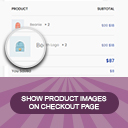
Display Product Images on Checkout Page.

By WCPlugins
Add optional or mandatory add-ons to the cart with main items. Create smart bundles that automatically link and sell additional products effortlessly.

By arhamashfaq
Replace WooCommerce variable product dropdowns with a clean quantity grid for faster bulk purchasing.

By runthings.dev
Restrict the usage of WooCommerce coupons unless required products are in the cart.

By AsanaPlugins
Preorder, backorder & back in stock waitlist for WooCommerce. Email a "Notify Me" alert the moment out of stock products are available again.
CHOOSE WHAT YOUR WEBSITE NEEDS
Start with the task you need to solve. Compare features, WordPress and PHP requirements, update history and the author’s documentation. Test changes on a private copy and avoid adding several plugins for the same job.
This independent directory displays plugin information on WebFulHost and links to the official source. Packages are not mirrored or installed here. A plugin can include paid extensions or services with separate terms from its author.