

Web push notifications, WooCommerce automation & multi-channel chat widget. WhatsApp cart recovery, browser alerts — one plugin.
★ 4.3/5 (37)8,000+ active installations
- Version
- 4.3.0
- WordPress
- 5.8+
- PHP
- 7.4+
- Updated
- 5 Nov 2026
WORDPRESS RESOURCES
Explore public plugin information from the official WordPress.org directory. Compare what a plugin does, its requirements and update history before adding it to your website.
Explore WordPress hosting →1,608 matching plugins reported by WordPress.org · Page 49 of 50
Source: WordPress.org
Data refreshed 22 Nov 2026 00:35 UTC
Web push notifications, WooCommerce automation & multi-channel chat widget. WhatsApp cart recovery, browser alerts — one plugin.

By Narinder Singh
Use MetaMask cryptocurrency payment gateway for WooCommerce store and let customers pay with USDT, ETH, BNB, or BUSD.
By EDGARROJAS
The most customizable extra product options builder for WooCommerce. You will love how many fields and features the free version has.
Context-aware AI that analyzes both images and page content for accurate metadata. Process 1000+ images with 16x faster parallel processing.
An advanced solution to let customers pay with deposits or partial payments, following admin-set rules. Auto-check due dates and send reminders.

By shravanchoudhary
25 free Elementor widgets with Theme Builder. Build headers, footers, sliders, mega menus, and Stripe payments - no coding required.
By TotalSuite
Create satisfaction survey, engaging quiz, gather feedback and run exam with the best WordPress survey and quiz plugin.
Enhanced WordPress editor blocks for Gutenberg, including core Block Extensions and Site Addons for your WordPress site and WooCommerce online store

By Ravindu Aththanayake
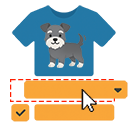
Next-level WooCommerce sticker customizer. Customers add stickers to garment views on a dedicated full-page editor.

GA4, Google Ads, Meta & OpenAI conversion tracking plus product feed sync for WooCommerce.

By Krzysztof Planeta
Set up consent management and tracking tools in minutes instead of days. Integrations with Google Analytics, Google Ads, Meta Pixel, GTM, and more.
Create responsive vertical and horizontal accordions in Gutenberg for FAQs, documentation, product information, and collapsible content.
CHOOSE WHAT YOUR WEBSITE NEEDS
Start with the task you need to solve. Compare features, WordPress and PHP requirements, update history and the author’s documentation. Test changes on a private copy and avoid adding several plugins for the same job.
This independent directory displays plugin information on WebFulHost and links to the official source. Packages are not mirrored or installed here. A plugin can include paid extensions or services with separate terms from its author.



