
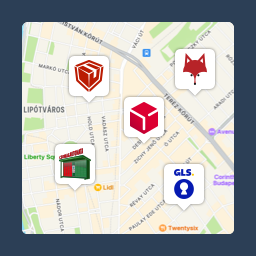
Pickup point map and shipping labels for WooCommerce, for home delivery too. MPL, Foxpost, GLS, DPD, Express One, Packeta and more.
★ 5.0/5 (27)7,000+ active installations
- Version
- 4.3.1
- WordPress
- 6.5+
- PHP
- 7.4+
- Updated
- 10 Nov 2026
WORDPRESS RESOURCES
Explore public plugin information from the official WordPress.org directory. Compare what a plugin does, its requirements and update history before adding it to your website.
Explore WordPress hosting →2,087 matching plugins reported by WordPress.org · Page 49 of 50
Source: WordPress.org
Data refreshed 22 Nov 2026 19:46 UTC
Pickup point map and shipping labels for WooCommerce, for home delivery too. MPL, Foxpost, GLS, DPD, Express One, Packeta and more.
Free WooCommerce Point of Sale plugin. Build a POS system to sell in store and online, then manage every order from one dashboard.

By VillaTheme
Craft a stunning thank you page effortlessly with our user-friendly customization tools, offer coupons to customers after purchase.

By Mauricio Galetto
Create & share lists with post types like posts, pages, products, etc. Build classic lists (Favorites, Bookmarks) and polls and cart lists and more.

By ultracart
The best way to sell your products on WordPress.

By YITHEMES
YITH WooCommerce Product Slider Carousel allows you to create responsive product sliders!

By Giant WP Solutions
The Elementor Custom Widgets plugin by PrimeKit offers a Theme Builder, Pop-Ups, Forms, and WooCommerce tools to enhance your website’s look and feel.

By hcaptcha
The strongest CAPTCHA. Switch from reCAPTCHA and Turnstile for free. Works with 60+ integrations: Contact Form 7, Elementor, WooCommerce, Divi, etc.

By Elliot Sowersby / RelyWP
WooCommerce Points and Rewards plugin. Create a simple but powerful loyalty program. Reward purchases, referrals, and much more.

By Md. Farhan Sadik
Elementor widgets for WooCommerce: product slider, grid, AJAX filter, side cart and a built-in wishlist.

By Uriahs Victor
Empower customers to select their preferred delivery or pickup time using a convenient datetime picker integrated into the WooCommerce checkout page.

By Route
One-Click Shipping Protection
CHOOSE WHAT YOUR WEBSITE NEEDS
Start with the task you need to solve. Compare features, WordPress and PHP requirements, update history and the author’s documentation. Test changes on a private copy and avoid adding several plugins for the same job.
This independent directory displays plugin information on WebFulHost and links to the official source. Packages are not mirrored or installed here. A plugin can include paid extensions or services with separate terms from its author.
