

Pukulink
By pukuo
Create affiliate product links for Amazon, Rakuten Ichiba, and Yahoo! Shopping from the Classic Editor or Block Editor.
0+ active installations
- Version
- 2.6.5
- WordPress
- 6.0+
- PHP
- 7.4+
- Updated
- 20 Aug 2026
WORDPRESS RESOURCES
Explore public plugin information from the official WordPress.org directory. Compare what a plugin does, its requirements and update history before adding it to your website.
Explore WordPress hosting →933 matching plugins reported by WordPress.org · Page 49 of 50
Source: WordPress.org
Data refreshed 28 Nov 2026 17:44 UTC
By pukuo
Create affiliate product links for Amazon, Rakuten Ichiba, and Yahoo! Shopping from the Classic Editor or Block Editor.

By Ray Lee
A lightweight notification bar for WordPress. 12 settings. Zero bloat.

By SERVIT Software Solutions
Fast & Compatible with every WordPress Theme: With our plugin for WordPress, you can easily create and add your affiliate products to your website.

By Shabti Kaplan
Sell personalized gift cards and gift certificates on WooCommerce or SureCart - customers design the card, pick an amount and check out.

By Botoscope
Connect your WooCommerce store to Telegram: sell products, bookings and digital goods via your own bot — no fees, no commissions.
By PN Scripts
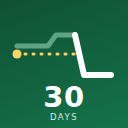
Shows the lowest price in the 30 days before a discount, based on a complete price history. Shows nothing rather than a wrong number.

By Limeboom
A prize wheel for WooCommerce stores: server-side prizes, real gift products, and one prize per customer enforced at checkout.

By Cognitolab (Ivan Omelianenko)
Pricing table, call to action banner, animated counter and countdown timer blocks for Gutenberg. No page builder; assets load only where used.

By Raju Ahmed
Create beautiful, fast, and fully customizable image carousels with a shortcode or Elementor — no coding required.

By Managedserver.it
Purge Varnish cache from the WordPress admin: automatic purge on content changes, exclusions, manual tools and full cache purge.

By Rafael Oliveira
Create dynamic sidebars and assign widgets per page using an intuitive editor panel or a centralized management screen.

By Nikolaos Moustakas
Responsive padding, margin and spacer height on any block, at the breakpoints your design uses.
CHOOSE WHAT YOUR WEBSITE NEEDS
Start with the task you need to solve. Compare features, WordPress and PHP requirements, update history and the author’s documentation. Test changes on a private copy and avoid adding several plugins for the same job.
This independent directory displays plugin information on WebFulHost and links to the official source. Packages are not mirrored or installed here. A plugin can include paid extensions or services with separate terms from its author.