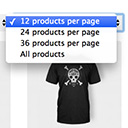
Products Per Page for WooCommerce is a easy-to-setup plugin that integrates a 'products per page' dropdown on your WooCommerce pages.
★ 4.8/5 (80)10,000+ active installations
- Version
- 1.2.10
- WordPress
- 5.0.0+
- Updated
- 31 Oct 2026
View plugin details ↗Offers the ability to add extra product options and calculate the price dynamically based on the selected options using custom mathematical formulas!
★ 4.6/5 (79)1,000+ active installations
- Version
- 4.9.71
- WordPress
- 6.1+
- PHP
- 8.2+
- Updated
- 8 Nov 2026
View plugin details ↗Post and Page Builder is a standalone plugin which adds functionality to the existing TinyMCE Editor.
★ 4.7/5 (140)50,000+ active installations
- Version
- 1.27.15
- WordPress
- 4.7+
- PHP
- 7.4+
- Updated
- 25 Sep 2026
View plugin details ↗Show your Advanced Custom Fields (ACF) in columns for posts, pages, taxonomies, and users in the Wordpress admin backend.
★ 4.9/5 (20)8,000+ active installations
- Version
- 0.3.3.1
- WordPress
- 4.6+
- PHP
- 7.4+
- Updated
- 26 Sep 2026
View plugin details ↗Bulk generate multiple Pages using dynamic content.
★ 4.6/5 (70)3,000+ active installations
- Version
- 1.8.7
- WordPress
- 5.0+
- PHP
- 7.4+
- Updated
- 19 Aug 2026
View plugin details ↗Adds powerful customizer options to modify all aspects of the default WordPress theme Twenty Nineteen.
★ 5.0/5 (10)700+ active installations
- Version
- 1.5.3
- WordPress
- 4.6+
- PHP
- 7.0+
- Updated
- 14 Aug 2026
View plugin details ↗Places an icon, all time views count and views today count at the bottom of posts, pages and custom post types on any WordPress website.
★ 4.0/5 (55)10,000+ active installations
- Version
- 2.9.2
- WordPress
- 6.0+
- Updated
- 9 Jul 2026
View plugin details ↗Utilities for customising CiviCRM's behaviour and appearance in single site and multisite installs.
★ 5.0/5 (6)1,000+ active installations
- Version
- 1.1.2
- WordPress
- 4.9+
- Updated
- 20 Sep 2026
View plugin details ↗Let your admin menu breathe.
★ 4.7/5 (21)2,000+ active installations
- Version
- 1.4
- WordPress
- 5.2+
- PHP
- 5.6+
- Updated
- 19 Nov 2026
View plugin details ↗Rename wp-admin login* is a plugin that allows us to rename wp-admin login URL to anything you want
★ 3.9/5 (7)9,000+ active installations
- Version
- 1.0.0
- WordPress
- 5.0+
- Updated
- 21 Oct 2026
View plugin details ↗With this plugin you can use customize the appearance of the WordPress login page, dashboard and head section tags.
★ 3.6/5 (5)3,000+ active installations
- Version
- 1.9.9
- WordPress
- 3.5+
- Updated
- 21 Sep 2026
View plugin details ↗Admin Search adds a simple, easy-to-use interface to your WordPress admin site that gives you and your admin users the ability to search across multip …
★ 4.5/5 (18)1,000+ active installations
- Version
- 1.5.0
- WordPress
- 4.9.2+
- PHP
- 5.2+
- Updated
- 28 May 2026
View plugin details ↗