Everything you need for a faster website – smart optimization, advanced caching, adaptive images, WebP creation, script improvements, optional CDN del …
★ 4.5/5 (155)9,000+ active installations
- Version
- 7.31.01
- WordPress
- 6.5+
- PHP
- 8.0+
- Updated
- 24 Nov 2026
View plugin details ↗Easy to use Under Construction Page & Coming Soon Page. Enable Under Construction Mode in seconds & show you're Under Construction!
★ 4.8/5 (1,285)500,000+ active installations
- Version
- 5.83
- WordPress
- 4.0+
- PHP
- 5.2+
- Updated
- 18 Sep 2026
View plugin details ↗An easy-to-use testimonial plugin to collect and show customer feedback in WordPress
★ 4.8/5 (615)80,000+ active installations
- Version
- 3.3.22
- WordPress
- 5.2+
- PHP
- 5.6+
- Updated
- 24 Nov 2026
View plugin details ↗Show your hikes, rides and runs from GPX, FIT, TCX or KML files on an interactive map with elevation profile, charts and route summary.
★ 4.2/5 (61)4,000+ active installations
- Version
- 1.16.01
- WordPress
- 6.0+
- PHP
- 7.4+
- Updated
- 23 Nov 2026
View plugin details ↗Formerly "Instagram Feed". Display clean, customizable, and responsive Instagram feeds from multiple accounts. Supports Instagram oEmbeds.
★ 4.9/5 (4,359)1,000,000+ active installations
- Version
- 6.17.0
- WordPress
- 4.1+
- PHP
- 7.4+
- Updated
- 19 Nov 2026
View plugin details ↗No API key is required to launch Google Maps & OpenStreetMap.
★ 4.0/5 (21)20,000+ active installations
- Version
- 3.2.1
- WordPress
- 6.5+
- PHP
- 7.4+
- Updated
- 2 Nov 2026
View plugin details ↗Really Simple Featured Video lets you add product video & featured video to WooCommerce Products & Posts, Pages, CPTs (with featured images) a …
★ 4.0/5 (34)4,000+ active installations
- Version
- 1.5.0
- WordPress
- 6.3+
- PHP
- 8.0+
- Updated
- 16 Nov 2026
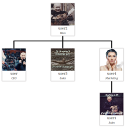
View plugin details ↗Drag-and-drop organization chart for WordPress. Display your team hierarchy with a shortcode.
★ 4.8/5 (22)900+ active installations
- Version
- 2.3.6
- WordPress
- 6.0+
- PHP
- 8.0+
- Updated
- 28 Jul 2026
View plugin details ↗Loan / EMI Calculator for Home Loan and Personal Loan
★ 5.0/5 (24)2,000+ active installations
- Version
- 2.2.3
- WordPress
- 5.8+
- PHP
- 7.4+
- Updated
- 31 Aug 2026
View plugin details ↗A responsive image lightbox for WordPress galleries, WordPress attachments & FooGallery
★ 4.0/5 (96)100,000+ active installations
- Version
- 2.8.8
- WordPress
- 5.8+
- PHP
- 5.4+
- Updated
- 7 Nov 2026
View plugin details ↗Contains a simple way to add an embedded Google Map to any page or post.
★ 4.5/5 (17)3,000+ active installations
- Version
- 2.9.3
- WordPress
- 3.3+
- PHP
- 5.6+
- Updated
- 8 Oct 2026
View plugin details ↗Looking for a new way to entice your site visitors? WP Popup is the lightbox/popup plugin built with performance in mind.
★ 4.2/5 (6)1,000+ active installations
- Version
- 1.2.7
- WordPress
- 4.3+
- Updated
- 3 Dec 2025
View plugin details ↗