

Import Export Menu
By yukyhendiawan
Import, export, and manage WordPress menus: duplicate, per-item visibility, and safe site-to-site migration.
★ 4.4/5 (10)3,000+ active installations
- Version
- 3.0.1
- WordPress
- 6.0+
- PHP
- 7.4+
- Updated
- 6 Oct 2026
WORDPRESS RESOURCES
Explore public plugin information from the official WordPress.org directory. Compare what a plugin does, its requirements and update history before adding it to your website.
Explore WordPress hosting →10,000 matching plugins reported by WordPress.org · Page 5 of 50
Source: WordPress.org
Data refreshed 19 Nov 2026 22:47 UTC
By yukyhendiawan
Import, export, and manage WordPress menus: duplicate, per-item visibility, and safe site-to-site migration.
Create interactive floating bubble menus to enhance site navigation and boost user engagement effortlessly.

By Chuck Reynolds
Adds a URL path column to all admin post type edit screens. Works with posts, pages, and any custom post type including WooCommerce products.

By Adnan
Login Logout Menu is a handy plugin which allows you to add login, logout, register and profile menu items in your selected menu.

By Davis Simiyu Wanyonyi
Control WordPress menu item visibility based on login status, user roles, device type, or specific pages — lightweight and theme-agnostic.
By enweby
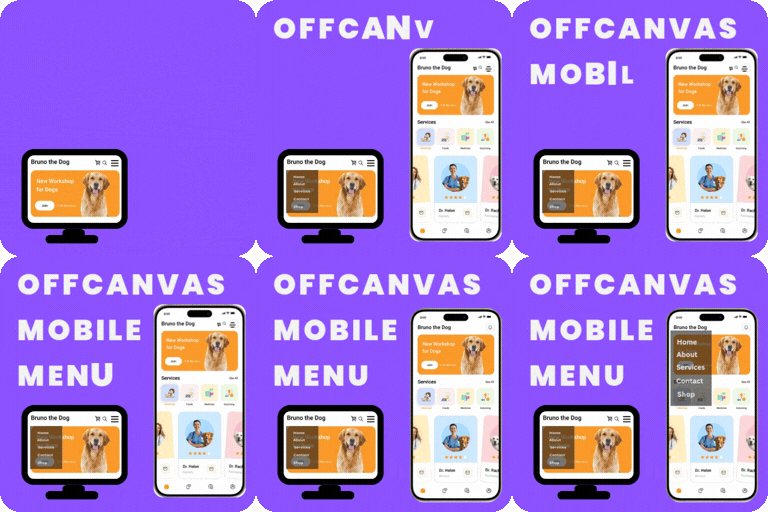
Best plugin to display beautiful fully customizable and responsive Offcanvas Mobile Menu or Wordrpess Hamberger Mobile Menu.

By bradvin
Bookmark your favorite posts, pages or custom post types within the WordPress admin

By Andrew Lima
Hides the WordPress toolbar (admin bar) for all non-admin users. Simple plugin with no settings to configure.

By Johannes van Poelgeest
Create options pages, menus and fields without code. Use the values with get_option(), a shortcode or a block.

By David Vongries
The WordPress admin bar reimagined. Replace it with a quick access panel, auto-hide it or hide it for specific user roles.

By Samuel Silva
Boost user engagement with a fullscreen menu on your website.
Free. Hide admin notices, remove dashboard widgets from view and hide selected admin menu and toolbar items without changing permissions.
CHOOSE WHAT YOUR WEBSITE NEEDS
Start with the task you need to solve. Compare features, WordPress and PHP requirements, update history and the author’s documentation. Test changes on a private copy and avoid adding several plugins for the same job.
This independent directory displays plugin information on WebFulHost and links to the official source. Packages are not mirrored or installed here. A plugin can include paid extensions or services with separate terms from its author.

