The #1 Mailchimp plugin for WordPress. Allows you to add a multitude of newsletter sign-up methods to your site.
★ 4.8/5 (1,499)1,000,000+ active installations
- Version
- 4.15.0
- WordPress
- 5.3+
- PHP
- 7.4+
- Updated
- 3 Nov 2026
View plugin details ↗Integrate Facebook Comments, Vkontakte Comments and/or Disqus Comments along with default comment form at your website
★ 4.7/5 (23)600+ active installations
- Version
- 1.6.3
- WordPress
- 2.5.0+
- Updated
- 12 Sep 2025
View plugin details ↗Sophisticated antispam plugin for effective daily comment and trackback spam-fighting. Built with data protection and privacy in mind.
★ 4.8/5 (227)700,000+ active installations
- Version
- 2.11.13
- WordPress
- 4.6+
- PHP
- 5.2+
- Updated
- 23 Aug 2026
View plugin details ↗Hide My WP Ghost is a WordPress security plugin that hides WP paths and protects your site with Path Security, Firewall, Brute Force Protection, 2FA
★ 4.5/5 (373)100,000+ active installations
- Version
- 7.0.20
- WordPress
- 5.8+
- PHP
- 7.4+
- Updated
- 20 Nov 2026
View plugin details ↗FREE WordPress Security: firewall, two factor authentication (2FA), security headers, login, malware and password protection, scanner, activity log
★ 5.0/5 (26)4,000+ active installations
- Version
- 3.0.14
- WordPress
- 6.2+
- PHP
- 7.4+
- Updated
- 18 Nov 2026
View plugin details ↗Manage Google AdSense ads, banners, ad rotation, sticky widgets, AMP ads, ads.txt, tracking, header and footer code, PHP code, global custom fields
★ 4.9/5 (2,435)300,000+ active installations
- Version
- 2.8.20
- WordPress
- 6.0+
- PHP
- 7.4+
- Updated
- 28 Oct 2026
View plugin details ↗An email marketing tool for your blog: subscription forms to create your lists with unlimited subscribers and newsletters.
★ 4.6/5 (1,205)200,000+ active installations
- Version
- 9.5.7
- WordPress
- 6.1+
- PHP
- 7.0+
- Updated
- 12 Nov 2026
View plugin details ↗Fastest growing Anti Spam plugin. No API calls, subscriptions, captcha or puzzle. Full GDPR complaint. For comments, contact form, login, registration
★ 5.0/5 (1,483)400,000+ active installations
- Version
- 2.5.1
- WordPress
- 5.0+
- Updated
- 21 Nov 2026
View plugin details ↗Pods is a framework for creating, managing, and deploying customized content types and fields for any project.
★ 4.8/5 (418)100,000+ active installations
- Version
- 3.3.9.2
- WordPress
- 6.3+
- PHP
- 7.2+
- Updated
- 31 Aug 2026
View plugin details ↗Developer framework to create custom fields and meta boxes with code. No admin UI: for a UI, install the free Meta Box Lite.
★ 4.8/5 (165)500,000+ active installations
- Version
- 5.15.5
- WordPress
- 6.7+
- PHP
- 7.4+
- Updated
- 12 Nov 2026
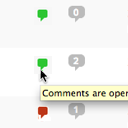
View plugin details ↗Conveniently close or open comments for a post or page with one click from the admin listing of posts.
★ 4.9/5 (10)5,000+ active installations
- Version
- 3.0
- WordPress
- 4.7+
- Updated
- 17 Apr 2025
View plugin details ↗Auto-Close keeps your site clean by automatically closing comments, pingbacks, and trackbacks—so you can focus on content, not cleanup.
★ 5.0/5 (2)200+ active installations
- Version
- 3.2.3
- WordPress
- 6.6+
- PHP
- 7.4+
- Updated
- 21 Nov 2026
View plugin details ↗