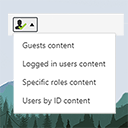
The simplest way of controlling who sees what in your posts/pages. Restrict content to logged in users only (or guests, or by roles) with simple short …
★ 4.9/5 (13)1,000+ active installations
- Version
- 2.3
- WordPress
- 3.6+
- Updated
- 29 Jan 2026
View plugin details ↗Create and add rich content to your website for free. Some examples of what you get with H5P are Interactive Video, Quizzes, Collage and Timeline.
★ 4.7/5 (62)40,000+ active installations
- Version
- 1.17.10
- WordPress
- 3.8.1+
- Updated
- 20 Oct 2026
View plugin details ↗Specific Content For Mobile allows you to create pages and posts content designed for mobile devices.
★ 4.8/5 (31)4,000+ active installations
- Version
- 0.5.6
- WordPress
- 4.6+
- PHP
- 5.6+
- Updated
- 28 Oct 2026
View plugin details ↗A complete WordPress LMS plugin to create any eLearning website easily.
★ 4.4/5 (592)90,000+ active installations
- Version
- 4.2.1
- WordPress
- 5.3+
- PHP
- 7.4+
- Updated
- 9 Nov 2026
View plugin details ↗Easily improve site security with WordPress Hardening, Two-Factor Authentication (2FA), Login Protection, Vulnerability Detection and SSL certificate.
★ 4.9/5 (8,872)3,000,000+ active installations
- Version
- 9.8.4
- WordPress
- 6.6+
- PHP
- 7.4+
- Updated
- 26 Oct 2026
View plugin details ↗Content Visibility for Divi Builder.
★ 4.8/5 (101)2,000+ active installations
- Version
- 5.03
- WordPress
- 5.5+
- PHP
- 7.0+
- Updated
- 6 Oct 2026
View plugin details ↗Control how AI uses your content — search, AI answers or training — via robots.txt Content Signals, HTTP headers, meta tags and TDMRep.
★ 5.0/5 (3)800+ active installations
- Version
- 1.3.4
- WordPress
- 5.6+
- PHP
- 7.4+
- Updated
- 15 Nov 2026
View plugin details ↗SEO-friendly Table of Contents Gutenberg block. No JavaScript or CSS by default.
★ 4.9/5 (77)10,000+ active installations
- Version
- 7.4.3
- WordPress
- 6.2+
- PHP
- 7.3+
- Updated
- 14 Nov 2026
View plugin details ↗Manage WordPress from Claude or ChatGPT with a free MCP server: posts, WooCommerce, SEO and Elementor. AI chatbot and content writer included.
★ 4.6/5 (167)10,000+ active installations
- Version
- 2.5.30
- WordPress
- 6.0+
- PHP
- 7.4+
- Updated
- 19 Nov 2026
View plugin details ↗Adds a shortcode to restrict content from anonymous users.
★ 5.0/5 (3)70+ active installations
- Version
- 1.3
- WordPress
- 5.9+
- PHP
- 7.4+
- Updated
- 2 Nov 2026
View plugin details ↗Build membership sites with tiered plans, content restriction, drag-&-drop custom registration & login form builder, and built-in payment system.
★ 4.8/5 (833)50,000+ active installations
- Version
- 5.3.2
- WordPress
- 5.5+
- PHP
- 7.4+
- Updated
- 6 Nov 2026
View plugin details ↗Go multilingual in a simple and efficient way. Keep writing posts and taxonomy terms as usual while defining their languages all at once.
★ 4.7/5 (3,010)900,000+ active installations
- Version
- 3.9.2
- WordPress
- 6.8+
- PHP
- 7.4+
- Updated
- 9 Nov 2026
View plugin details ↗