

Admin Code Search
By marbak
Search code across active plugins, themes, and MU plugins directly from the WordPress admin.
★ 5.0/5 (1)50+ active installations
- Version
- 1.2.2
- WordPress
- 6.0+
- PHP
- 7.4+
- Updated
- 22 Jun 2026
WORDPRESS RESOURCES
Explore public plugin information from the official WordPress.org directory. Compare what a plugin does, its requirements and update history before adding it to your website.
Explore WordPress hosting →10,000 matching plugins reported by WordPress.org · Page 5 of 50
Source: WordPress.org
Data refreshed 19 Nov 2026 05:13 UTC
By marbak
Search code across active plugins, themes, and MU plugins directly from the WordPress admin.

Advance Custom HTML lets you write and display HTML, CSS, PHP, and other code snippets on WordPress with live preview and syntax highlighting.
Maximize your WordPress site's potential with our versatile HTML5 Audio Player plugin. Seamlessly play .mp3, .wav, .ogg, and more audio files.

By Spacetime
Manage Google AdSense ads, banners, ad rotation, sticky widgets, AMP ads, ads.txt, tracking, header and footer code, PHP code, global custom fields
By The AV Coach
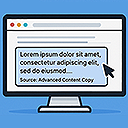
Modifies copied content with customizable text, link, and snippet options when pasted elsewhere.

By Thomas Geiger
Advanced tag management for WordPress with Google Tag Manager

By George-Paul Crețu
Code Snippet DM enables you to display code snippets in a stylish way inside your content.
Join millions who empower their websites with ElementsKit Elementor Addons. Get templates, & 100+ widgets like header-footer, mega menu, custom widget
Create syntax-highlighted, copy-ready code snippets in Gutenberg with responsive layouts, themes, and shortcode support.

By Automattic
Everything you need to launch an online store in days and keep it growing for years. From your first sale to millions in revenue, Woo is with you.

By wpsoul
Introducing Smart Code AI for WordPress - the revolutionary plugin that unleashes the power of Artificial Intelligence within the Gutenberg editor!

By Jose Varghese
Adds a copy link icon to headings for easy copying anchor links, that helps to bookmarking, sharing, and navigation within the content.
CHOOSE WHAT YOUR WEBSITE NEEDS
Start with the task you need to solve. Compare features, WordPress and PHP requirements, update history and the author’s documentation. Test changes on a private copy and avoid adding several plugins for the same job.
This independent directory displays plugin information on WebFulHost and links to the official source. Packages are not mirrored or installed here. A plugin can include paid extensions or services with separate terms from its author.


