A free live currency converter for posts, pages and sidebars: 150+ currencies, 5 languages, light or dark. No API key, no cookies.
0+ active installations
- Version
- 1.0.2
- WordPress
- 5.8+
- PHP
- 7.4+
- Updated
- 17 Nov 2026
View plugin details ↗Add a free, real-time currency converter to your WordPress site. 150+ currencies, no signup, no API keys.
0+ active installations
- Version
- 1.0.2
- WordPress
- 5.5+
- PHP
- 7.2+
- Updated
- 26 Aug 2026
View plugin details ↗Free currency converter and official central-bank exchange rate widgets. Blocks and shortcodes, no API key needed.
0+ active installations
- Version
- 1.0.0
- WordPress
- 6.3+
- PHP
- 7.4+
- Updated
- 5 Nov 2026
View plugin details ↗Real-time multi-currency display for WooCommerce. Conversion is presentational only — payments always process in your store base currency.
0+ active installations
- Version
- 1.7.0
- WordPress
- 6.0+
- PHP
- 8.0+
- Updated
- 7 Sep 2026
View plugin details ↗Live cryptocurrency, stock and forex widgets via shortcode — price ticker, stock screener, heatmap, economic calendar and charts.
★ 5.0/5 (2)30+ active installations
- Version
- 1.4.1
- WordPress
- 5.6+
- PHP
- 7.4+
- Updated
- 26 Oct 2026
View plugin details ↗Turns on site high speed to be attractive for people and search engines.
★ 4.8/5 (477)50,000+ active installations
- Version
- 2.31.4
- WordPress
- 4.5+
- PHP
- 7.2+
- Updated
- 23 Nov 2026
View plugin details ↗This plugin gives your users the ability to switch between currencies when viewing a product or service.
10+ active installations
- Version
- 2.0.0
- WordPress
- 7.0+
- PHP
- 8.0+
- Updated
- 30 Jul 2026
View plugin details ↗Post Redirection – 301, 404 Redirects lets you quickly redirect pages, posts, custom types, and URLs to new locations for seamless navigation.
★ 5.0/5 (1)50+ active installations
- Version
- 1.0.2
- WordPress
- 4.4.0+
- PHP
- 7.0+
- Updated
- 6 Apr 2026
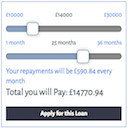
View plugin details ↗A simple repayment calculator. Uses sliders to set the amount and term and displays a range of outputs
★ 4.6/5 (13)1,000+ active installations
- Version
- 3.1.8
- WordPress
- 6.0+
- Updated
- 16 Jul 2026
View plugin details ↗The simplest way to sell gift cards online. Sell your own gift cards, gift certificates and gift vouchers from inside your WordPress website easily wi …
★ 4.9/5 (235)5,000+ active installations
- Version
- 3.3.1
- WordPress
- 3.0.1+
- PHP
- 5.6+
- Updated
- 7 Oct 2026
View plugin details ↗Add this widget at your sidebar to display a currency converter.
10+ active installations
- Version
- 1.1.1
- WordPress
- 6.0+
- PHP
- 7.4+
- Updated
- 23 Nov 2026
View plugin details ↗The ultimate conversion engine: 153 Currencies, 105+ Units, Custom Unit Builder, GeoIP detection, and a native Gutenberg Block with live previews.
10+ active installations
- Version
- 1.0.2
- WordPress
- 5.4+
- PHP
- 7.2+
- Updated
- 2 Apr 2026
View plugin details ↗