
Range Slider for Elementor Forms
By add-ons.org
Allows you to incorporate interactive range sliders into Elementor forms.
★ 5.0/5 (1)300+ active installations
- Version
- 1.1.4
- WordPress
- 2.0+
- PHP
- 5.2+
- Updated
- 24 Sep 2026
WORDPRESS RESOURCES
Explore public plugin information from the official WordPress.org directory. Compare what a plugin does, its requirements and update history before adding it to your website.
Explore WordPress hosting →697 matching plugins reported by WordPress.org · Page 5 of 50
Source: WordPress.org
Data refreshed 28 Nov 2026 16:50 UTC
By add-ons.org
Allows you to incorporate interactive range sliders into Elementor forms.

By Ivan Gavrilov
The plugin adds the Belarusian currency BYN symbol to WordPress and WooCommerce pages.

By MHM Development Team
Multi-currency support for WooCommerce. Let your customers browse, shop, and checkout in their preferred currency with real-time exchange rates.

By Tunbosun Ayinla
Flutterwave Easy Digital Downloads payment gateway allows you to accept payment through multiple payment channels via Flutterwave
Events calendar plugin for event registration, event tickets, bookings, RSVP, recurring and virtual events with WooCommerce and Zoom (AI-powered).

By falselight
Live converter for ≈14k crypto, fiat and commodity symbols: Gutenberg block, shortcode, themes and no API key.

By metalpriceapi
Display live and historical gold, silver, platinum and palladium prices in 150+ currencies via shortcode.

By Stockdio
Easy to use and versatile stock market ticker, with support of over 65 world exchanges, indices, commodities and currencies.
WooCommerce multi-currency switcher with automatic exchange rates, GeoIP detection, currency links and role-based access. Lightweight and fast.

By Stockdio
WordPress plugin and widget for displaying stock market live charts and technical indicators.

By Vishwajith Rajapakse
This plugin allows WooCommerce store owners to set a custom currency symbol. User can add any unicode text or text symbol.
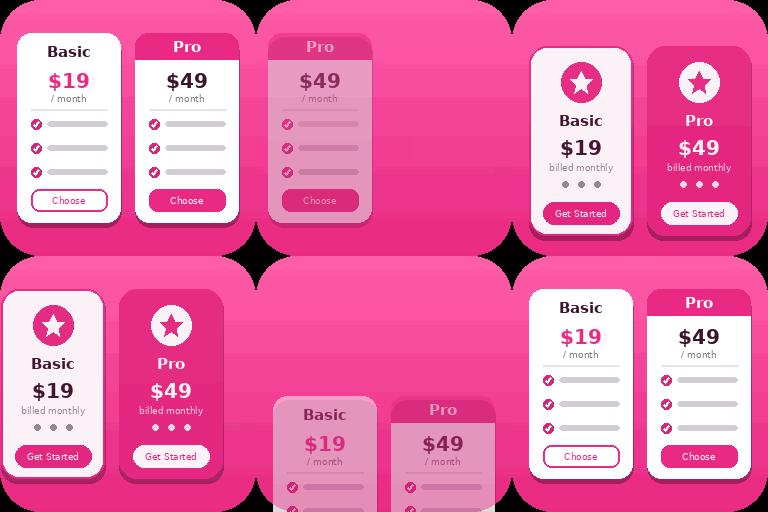
By wpbranddigital
Create responsive WordPress pricing tables in Gutenberg with customizable plans, feature lists, CTA buttons, and clear pricing comparisons.
CHOOSE WHAT YOUR WEBSITE NEEDS
Start with the task you need to solve. Compare features, WordPress and PHP requirements, update history and the author’s documentation. Test changes on a private copy and avoid adding several plugins for the same job.
This independent directory displays plugin information on WebFulHost and links to the official source. Packages are not mirrored or installed here. A plugin can include paid extensions or services with separate terms from its author.