Sitemade QR
By Giuseppe D'Acri
Generate QR codes for posts and pages on your own server, with no external APIs. PNG in the Media Library, SVG and PDF for print.
0+ active installations
- Version
- 1.1.0
- WordPress
- 6.0+
- PHP
- 8.0+
- Updated
- 27 Oct 2026
WORDPRESS RESOURCES
Explore public plugin information from the official WordPress.org directory. Compare what a plugin does, its requirements and update history before adding it to your website.
Explore WordPress hosting →99 matching plugins reported by WordPress.org · Page 5 of 9
Source: WordPress.org
Data refreshed 23 Nov 2026 03:01 UTC
By Giuseppe D'Acri
Generate QR codes for posts and pages on your own server, with no external APIs. PNG in the Media Library, SVG and PDF for print.
By Alimuzzaman Alim
Duplicate or clone any post or page into a new draft — including unsaved changes — in one click, right from the block editor.
Find out why your WooCommerce revenue went up or down yesterday — every morning, in plain language, with no charts to dig through.
By ivycat
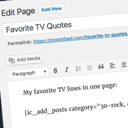
Easily add one or more posts to any page using simple shortcodes.
Bulk-edit WooCommerce stock and variations from one fast screen with advanced filters, SKU search, CSV import/export, and a full activity log.

By through_evo
Add color-coded fulfillment flags to WooCommerce orders so your team can see important order details before shipping.
Scores WooCommerce simple and variable products using unique product views, carts after view, and paid orders.

By inboundrocket
The easiest way to double your leads. Inbound Rocket is an easy-to-use marketing automation and lead tracking plugin for WordPress.

By buffcleb
Role-based file access control. Restrict upload folders to specific user roles, serve files securely through PHP, and log every access attempt.
🎁 Gift cards, ⭐ loyalty points, 🔁 subscriptions and 🛠️ store tweaks for WooCommerce. Switch on only what your store needs.
Speech bubble, quote box, highlight, table of contents and sticker blocks for the Block Editor and Classic Editor. No CSS needed.

By CODE/
A no-build CSS framework for WordPress, with real Bricks Builder support built in.
CHOOSE WHAT YOUR WEBSITE NEEDS
Start with the task you need to solve. Compare features, WordPress and PHP requirements, update history and the author’s documentation. Test changes on a private copy and avoid adding several plugins for the same job.
This independent directory displays plugin information on WebFulHost and links to the official source. Packages are not mirrored or installed here. A plugin can include paid extensions or services with separate terms from its author.