Free WordPress accessibility widget to improve accessibility for your website visitors. Supports efforts towards meeting WCAG, ADA & EAA requirements.
★ 4.8/5 (39)20,000+ active installations
- Version
- 3.2.8
- WordPress
- 5.0.0+
- PHP
- 5.6+
- Updated
- 10 Nov 2026
View plugin details ↗Lightbox Block lets you display images, audio, video, and custom content in responsive lightbox galleries or media popups.
★ 5.0/5 (7)3,000+ active installations
- Version
- 1.3.0
- WordPress
- 6.5+
- PHP
- 7.1+
- Updated
- 17 Nov 2026
View plugin details ↗Set a custom profile image (avatar) for a user using the standard WordPress media upload tool.
★ 4.6/5 (59)30,000+ active installations
- Version
- 2.6.4
- WordPress
- 5.0+
- PHP
- 5.6+
- Updated
- 9 Jul 2026
View plugin details ↗Popups, opt-in forms, notification bars, a WordPress CRM and email marketing automation in one plugin. Lead generation that follows up by itself.
★ 4.5/5 (340)9,000+ active installations
- Version
- 2.1.0
- WordPress
- 5.9+
- PHP
- 7.3+
- Updated
- 17 Nov 2026
View plugin details ↗Clean up and optimize your WordPress database: revisions, transients, autoload, orphaned data. Built for large databases, safe and fast.
★ 5.0/5 (150)10,000+ active installations
- Version
- 1.4.8
- WordPress
- 6.0+
- PHP
- 8.1+
- Updated
- 30 Oct 2026
View plugin details ↗Create interactive floating bubble menus to enhance site navigation and boost user engagement effortlessly.
★ 4.2/5 (9)1,000+ active installations
- Version
- 4.1.1
- WordPress
- 5.5+
- PHP
- 7.4+
- Updated
- 25 Aug 2026
View plugin details ↗Embed Instagram, TikTok, Pinterest, and Twitter feeds easily using Gutenberg blocks.
★ 5.0/5 (1)600+ active installations
- Version
- 1.0.7
- WordPress
- 6.5+
- PHP
- 7.1+
- Updated
- 17 Nov 2026
View plugin details ↗Create responsive contact forms with stored query table management. Easy contact form shortcode and widget for inquiries and lead generation.
★ 5.0/5 (10)1,000+ active installations
- Version
- 1.5.3
- WordPress
- 4.0+
- Updated
- 2 Oct 2026
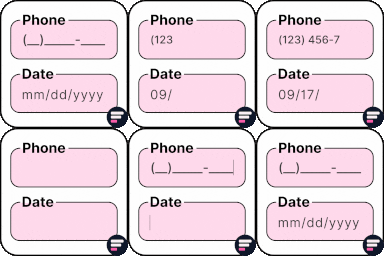
View plugin details ↗Apply input masks in Elementor form widget fields - phone, date, time, credit card, CPF, CNPJ, CEP & more for valid and error-free entries.
★ 4.5/5 (24)10,000+ active installations
- Version
- 4.4.5
- WordPress
- 5.0+
- PHP
- 7.2+
- Updated
- 1 Sep 2026
View plugin details ↗Photo proofing for professional photographers: Send a collection of photographs to your clients for approval.
★ 4.7/5 (55)2,000+ active installations
- Version
- 3.10.2
- WordPress
- 6.0+
- PHP
- 7.4+
- Updated
- 1 Oct 2026
View plugin details ↗AI form builder for WordPress. Build contact forms, payment forms, quiz, survey & conversational forms with built-in AI or drag & drop builder.
★ 4.9/5 (375)90,000+ active installations
- Version
- 3.6.5
- WordPress
- 5.5+
- PHP
- 7.2+
- Updated
- 19 Nov 2026
View plugin details ↗Enhance the power of your WordPress editor with the dynamic Gutenberg blocks by BlockArt Blocks. Build any layout imaginable.
★ 4.9/5 (16)10,000+ active installations
- Version
- 2.4.4
- WordPress
- 6.6+
- PHP
- 7.4+
- Updated
- 16 Nov 2026
View plugin details ↗