Edit any WooCommerce product from your frontend — price, stock, variations, and more — without ever opening wp-admin.
★ 5.0/5 (12)400+ active installations
- Version
- 1.2.3
- WordPress
- 5.0+
- PHP
- 7.4+
- Updated
- 30 Jul 2026
View plugin details ↗Set Custom Permalink Editor on a per-post, per-tag per-page, and per-category basis.
★ 5.0/5 (2)4,000+ active installations
- Version
- 1.0.6
- WordPress
- 5.4+
- PHP
- 7.4+
- Updated
- 13 Jan 2026
View plugin details ↗The plugin adds a title and a rel="nofollow" checkbox to the insert link popup box. Only for Classic Editor, NOT Block Editor.
★ 4.5/5 (23)10,000+ active installations
- Version
- 1.13
- WordPress
- 4.2+
- PHP
- 7.4+
- Updated
- 30 Jul 2026
View plugin details ↗Create Better Content With The Block Editor. Custom Blocks for Bloggers and Content Marketers.
★ 4.9/5 (729)50,000+ active installations
- Version
- 3.6.2
- WordPress
- 5.8+
- PHP
- 7.2+
- Updated
- 8 Nov 2026
View plugin details ↗90+ Gutenberg Blocks & AI Website Builder with 1000+ Templates. Complete Page Builder, Popup Builder, Mega Menu, Form Builder & More. No Code.
★ 4.8/5 (90)9,000+ active installations
- Version
- 5.0.11
- WordPress
- 5.6+
- PHP
- 7.4+
- Updated
- 17 Nov 2026
View plugin details ↗Replaces the default image editor in wp-admin with more powerful one - Pixo. It can also be used in the front-end.
★ 3.5/5 (10)700+ active installations
- Version
- 2.3.11
- WordPress
- 3.5+
- PHP
- 5.2+
- Updated
- 10 Jul 2026
View plugin details ↗WooCommerce Product Addons Add custom fields to your WooCommerce product page. With an easy-to-use Custom Form Builder.
★ 4.9/5 (478)30,000+ active installations
- Version
- 3.1.11
- WordPress
- 5.0+
- PHP
- 7.2+
- Updated
- 19 Nov 2026
View plugin details ↗Slider, gallery, carousel plugin for WordPress. Build your image slider, video slider, post slider, YouTube slider, or WooCommerce product slider.
★ 4.6/5 (743)500,000+ active installations
- Version
- 3.114.1
- WordPress
- 5.9+
- PHP
- 7.4+
- Updated
- 18 Nov 2026
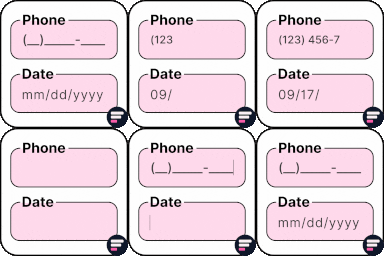
View plugin details ↗Apply input masks in Elementor form widget fields - phone, date, time, credit card, CPF, CNPJ, CEP & more for valid and error-free entries.
★ 4.5/5 (24)10,000+ active installations
- Version
- 4.4.5
- WordPress
- 5.0+
- PHP
- 7.2+
- Updated
- 1 Sep 2026
View plugin details ↗Add a Contact Form 7 field to Advanced Custom Fields. Pick a form, display it. No shortcodes, no hassle.
★ 4.7/5 (11)10,000+ active installations
- Version
- 1.8.1
- WordPress
- 6.6+
- PHP
- 8.1+
- Updated
- 17 Nov 2026
View plugin details ↗Elementor templates, Header footer builder, Elementor Post Grid, Woocommerce Grid builder, Slider, Forms, Gallery, Nav menu addons, Elementor widgets.
★ 4.8/5 (613)600,000+ active installations
- Version
- 1.7.1072
- WordPress
- 5.0+
- PHP
- 5.6+
- Updated
- 13 Nov 2026
View plugin details ↗Modern Bulk Editor for WooCommerce Coupons, create and edit hundreds of coupons in a spreadsheet inside wp-admin. Quick view and edits.
★ 5.0/5 (8)500+ active installations
- Version
- 1.3.60
- WordPress
- 4.7+
- Updated
- 20 Oct 2026
View plugin details ↗