

Download installed plugins and themes in ZIP files directly from your WordPress admin dashboard, download any or all without FTP or cPanel access.
★ 4.9/5 (27)30,000+ active installations
- Version
- 2.1.1
- WordPress
- 4.5+
- PHP
- 5.0.0+
- Updated
- 20 Nov 2026
WORDPRESS RESOURCES
Explore public plugin information from the official WordPress.org directory. Compare what a plugin does, its requirements and update history before adding it to your website.
Explore WordPress hosting →1,971 matching plugins reported by WordPress.org · Page 5 of 50
Source: WordPress.org
Data refreshed 25 Nov 2026 16:03 UTC
Download installed plugins and themes in ZIP files directly from your WordPress admin dashboard, download any or all without FTP or cPanel access.
The #1 eCommerce plugin to sell digital products & subscriptions. Accept payments with Stripe & PayPal. Sell ebooks, software & more.

Add customizable WordPress pagination to your website. Easily split long posts and pages into multiple parts for improved navigation and user experien …

By John James Jacoby
Organize Media Library attachments with categories and filter them in list and grid views.

By Trew Knowledge
This plugin is meant to assist with the GDPR obligations of a Data processor and Controller.
By G Matta
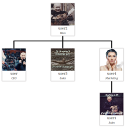
Drag-and-drop organization chart for WordPress. Display your team hierarchy with a shortcode.

By OmnisWP
The complete events calendar, free: recurring events, six views, maps, tickets and RSVP with no platform fee. No Pro version, nothing locked.

By Alex Volkov
Short Description WP Accessibility Helper helps solve accessibility problems

By maxfoundry
Easier file and folder management for WordPress Media Library for Galleries and Albums

By Never Settle
Clone, copy, and duplicate WordPress sites, single sites, and multisite subsites with NS Cloner, a fast WordPress site cloner and site duplicator.

By Smackcoders Inc.,
The best WordPress Import Export plugin. Easily import and export posts, pages, CPTs, WooCommerce products, users and more using CSV, XML and Excel.

By Magazine3
Schema & Structured Data adds Google Rich Snippets markup according to Schema.org guidelines to structure your site for SEO.
CHOOSE WHAT YOUR WEBSITE NEEDS
Start with the task you need to solve. Compare features, WordPress and PHP requirements, update history and the author’s documentation. Test changes on a private copy and avoid adding several plugins for the same job.
This independent directory displays plugin information on WebFulHost and links to the official source. Packages are not mirrored or installed here. A plugin can include paid extensions or services with separate terms from its author.
