Inline Spoilers
By Sergey Kuzmich
The plugin allows to create content spoilers with Guttenberg block or simple shortcode.
★ 4.6/5 (14)1,000+ active installations
- Version
- 2.1.0
- WordPress
- 6.6+
- PHP
- 7.2+
- Updated
- 17 Feb 2025
WORDPRESS RESOURCES
Explore public plugin information from the official WordPress.org directory. Compare what a plugin does, its requirements and update history before adding it to your website.
Explore WordPress hosting →6,824 matching plugins reported by WordPress.org · Page 5 of 50
Source: WordPress.org
Data refreshed 20 Nov 2026 18:52 UTC
By Sergey Kuzmich
The plugin allows to create content spoilers with Guttenberg block or simple shortcode.

By Codepress
Take control of your WordPress admin list tables. Add, remove, and reorder columns for posts, users, media, and more - no coding needed.

By HoliThemes
WhatsApp Chat🔥. Let's make your Web page visitors contact you through 'WhatsApp', 'WhatsApp Business'. Add matching Widget✅
Join millions who empower their websites with ElementsKit Elementor Addons. Get templates, & 100+ widgets like header-footer, mega menu, custom widget

The best drag-and-drop Popup Builder for WordPress. Create Popups, exit-intent popups, slide-ins, and lead generation forms & Woocommerce popups i …

❤️ Excellent membership plugin! Easy, quick, flexible. Monetize your site with memberships and subscriptions. Protect content instantly and securely.

By contentguardpro
Scan your WordPress database for hidden SEO spam, pharma hacks, malicious scripts, iframes and spam links in posts and blocks.

By WPMU DEV - Your All-in-One WordPress Platform
Broken Link Checker helps you catch broken links & images fast, before they hurt your SEO or UX. Scan and bulk-fix issues from one easy dashboard.
Edit WordPress posts and pages directly from the frontend using a clean modal editor. Simple, fast, and secure frontend post editing for all roles.

By Adnan
Include inline javascript, stylesheets, CSS code or anything you want in Header and Footer areas of your WordPress with ease.

By Joris van Montfort
Insert icons anywhere in your content — inline in text, headings, buttons, or as a standalone block.
By prismtechstudios
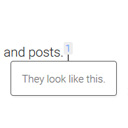
Add inline footnotes to your posts. On desktop, the footnotes will appear as tooltips. On mobile, the footnote will expand beneath the text.
CHOOSE WHAT YOUR WEBSITE NEEDS
Start with the task you need to solve. Compare features, WordPress and PHP requirements, update history and the author’s documentation. Test changes on a private copy and avoid adding several plugins for the same job.
This independent directory displays plugin information on WebFulHost and links to the official source. Packages are not mirrored or installed here. A plugin can include paid extensions or services with separate terms from its author.