Create syntax-highlighted, copy-ready code snippets in Gutenberg with responsive layouts, themes, and shortcode support.
200+ active installations
- Version
- 1.1.7
- WordPress
- 6.5+
- PHP
- 7.4+
- Updated
- 17 Nov 2026
WORDPRESS RESOURCES
Explore public plugin information from the official WordPress.org directory. Compare what a plugin does, its requirements and update history before adding it to your website.
Explore WordPress hosting →177 matching plugins reported by WordPress.org · Page 5 of 15
Source: WordPress.org
Data refreshed 21 Nov 2026 07:10 UTC
Create syntax-highlighted, copy-ready code snippets in Gutenberg with responsive layouts, themes, and shortcode support.
Create diagrams, flowcharts, mind maps, animated presentations, and hand-drawn sketches directly inside WordPress with a responsive SVG player.
Upgrade your WooCommerce store with AI-powered product images, video generation, and virtual try-on, using your existing products.

By sudomock
Connect WooCommerce products to the SudoMock PSD rendering engine. Customers upload artwork, preview it on your PSD mockups, and buy.

By Divi Powers
Add native Divi interactions, ready-made layouts, funnels, WooCommerce checkout tools, and an optional AI assistant connection.

By stonagency
Twelve lightweight motion widgets for Elementor: split text, counters, marquee, rotating text, magnetic buttons, custom cursor and more. No code.

By Product Designer App
WooCommerce product designer plugin for custom printing, personalization, templates, artwork, quotes, and print-ready files.

By Toolbox POD
Print-on-demand apparel for your WooCommerce store. Publish designs as products; Toolbox POD prints and ships each order with tracking.
By preciseexpressions
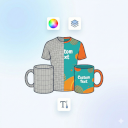
Easily sell custom products in WooCommerce. Shoppers personalize items by uploading images and text in a live preview modal.

By masterai
Launch your professional WooCommerce store in 5 minutes with industry-specific templates and a streamlined setup wizard.

By Awais Awan
Let customers personalize WooCommerce products with text, images, shapes, colors, sides, and ready-to-use artwork.

By Ashikur Rahman
Mobile bottom navigation bar and slide-out drawer menu with WooCommerce integration, user profile card, and live preview.
CHOOSE WHAT YOUR WEBSITE NEEDS
Start with the task you need to solve. Compare features, WordPress and PHP requirements, update history and the author’s documentation. Test changes on a private copy and avoid adding several plugins for the same job.
This independent directory displays plugin information on WebFulHost and links to the official source. Packages are not mirrored or installed here. A plugin can include paid extensions or services with separate terms from its author.